Bun
- Repository: github.com/kintsugi-programmer/kintsugi-stack-bun
- Documentation: codingismeditation.github.io/exploration/bun
Complete Bun JavaScript & TypeScript Runtime Documentation
1. Introduction to Bun
1.1. What is Bun?
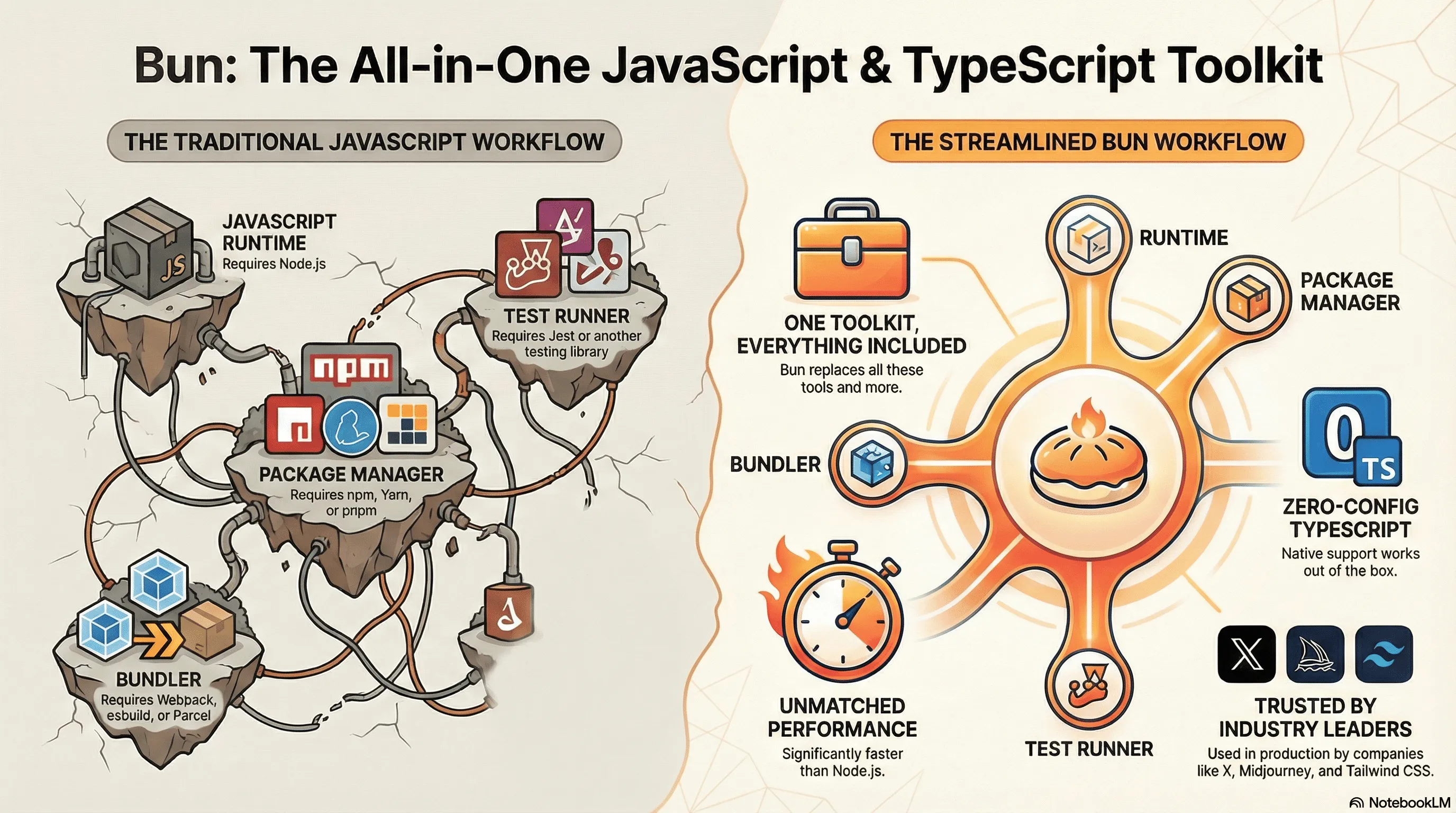
- Bun is a fast JavaScript runtime (alternative to Node.js)
- Introduced approximately 2-3 years ago
- Written in Zig language (not C++ like Node.js)
- Provides an all-in-one toolkit for JavaScript/TypeScript development
1.2. Why Learn Bun?
1.2.1. Key Reasons:
- Market Relevance: Projects may require Bun expertise
- Performance: Significantly faster than Node.js
- Built-in Features: Reduces external dependencies
- Modern Development: Stay ahead in the market
- Node.js Compatibility: Can migrate Node.js projects with minimal changes
Important Note: Bun is NOT a replacement for Node.js, but rather an advanced alternative that complements your existing knowledge.
2. Web Development Concepts Refresher
Before diving into Bun, let's understand the foundational concepts:
2.1. What is JavaScript?
- JavaScript is a programming language that runs on computers
- Originally created for web browsers (to make websites interactive)
- Now can run on servers too (backend) with tools like Node.js and Bun
- Used for: making interactive features, handling data, building entire applications
2.2. What is a Runtime?
- Runtime = An environment where code runs
- Think of it like an operating system for your code
- Node.js was the first JavaScript runtime for servers (created ~2009)
- Bun is a newer, faster JavaScript runtime alternative to Node.js
2.3. What is a Server?
- Server = A computer that listens for requests and sends responses
- When you visit a website, your browser (client) sends a request to a server
- The server processes the request and sends back data/HTML
- Example: When you visit Google.com, your request goes to Google's servers
2.4. What is an API?
- API = Application Programming Interface (a way for programs to talk to each other)
- HTTP API = A web server that responds to requests with data (usually JSON)
- Example: A weather API that returns current temperature
- Used for: Getting data from servers, sending data to servers, connecting apps
2.5. What is HTTP?
- HTTP = HyperText Transfer Protocol (the language of the web)
- A standardized way for clients and servers to communicate
- Request = Client asking server for something
- Response = Server sending back data or information
- Status codes: 200 (success), 404 (not found), 500 (server error)
2.6. Client vs Server
- Client = Your browser or app that requests data
- Server = Computer that stores data and responds to requests
- Flow: Client → Request → Server → Processing → Response → Client receives data
3. Course Overview
3.1. Topics Covered:
- Introduction & Setup
- What is Bun and why learn it
- Differences from Node.js
-
Installation and quick start
-
Bun as a Runtime
bun runcommand- File imports
- Environment variables
- File I/O operations
import.metaobject- Hashing & encryption
-
Utilities
-
HTTP Server with Bun
- Using Bun.serve API
- Building APIs
- Console API
- Color API
- Shell scripting
-
Web APIs
-
Bun as a Package Manager
- Installing packages
bun createcommand- Testing with Bun
- Building and bundling
4. What is Bun? - Detailed Explanation
4.1. Bun vs Node.js
4.1.1. Similarities:
- Both are JavaScript runtimes
- Both allow running JavaScript on the backend
- Both allow you to write server code (not just browser code)
4.1.2. Key Differences:
1. End-to-End TypeScript Support
- TypeScript = JavaScript with type checking (helps catch errors early)
- Bun: Zero-configuration TypeScript support (built-in, works immediately)
- Node.js: Requires separate TypeScript installation and setup
- Why it matters: Less setup = faster development
2. Performance
- Bun: Significantly faster than Node.js (50%+)
- What "faster" means: Code runs quicker, servers respond quicker, pages load faster
- Reasons for speed:
- Written in Zig language(manual memory management) (faster than C++(garbage collection))
- Uses JavaScriptCore (JSC) engine instead of V8
- Custom event loop (vs Node's libuv)
- Manual memory management (vs garbage collection in C++)
- Why it matters: Faster applications = better user experience
3. All-in-One Toolkit
Bun provides built-in solutions for:
- Fast Package Manager: No need for npm installation
- Fast Bundler: Replaces Parcel, Webpack, esbuild. Compiles Code Faster. No need to install external Bundler.
- Test Runner: Replaces Jest, Built-in
- TypeScript Compiler: Built-in support
5. Bun Features Breakdown
5.1. Fast JavaScript Runtime
What this means:
- Bun can execute (run) JavaScript code on your computer
- You write code, Bun executes it (like a calculator runs math)
- Faster than Node.js at starting up and running code
5.2. Fast JavaScript Package Manager
- Package Manager = Tool that downloads and installs code libraries other people wrote
- Built-in package manager (no npm needed)
- Extremely fast package installation
- Compatible with npm registry (same libraries as Node.js)
5.3. Fast JavaScript Bundler
- Bundler = Tool that combines multiple files into one optimized file
- Minifies code for production (makes files smaller)
- Replaces: Parcel, Webpack, esbuild
- Why: Faster websites (smaller files = faster download)
5.4. Fast JavaScript Test Runner
- Testing = Writing code to check if your other code works correctly
- Built-in testing (no Jest needed)
- Zero external dependencies for testing
- Example: "If I add 2+2, do I get 4?" tests
5.5. Node-Compatible Runtime
- Bun is Fast JS Node-compatible runtime
- Can run Node.js code with minimal changes
- Supports Node.js libraries
- Easy migration from Node.js to Bun
6. Companies Using Bun
Notable companies using Bun in production:
- X (Twitter)
- Typi
- Midjourney (AI image/video generation)
- Tailwind CSS
7. Installation
7.1. Windows (PowerShell)
7.2. Linux & MacOS
7.3. Using npm (The last npm command you'll ever need)
- The last npm command you'll ever need
- after this you don't need to use npm
- bun also supports npm packages
7.4. Verify Installation
8. Quick Start Project Setup
8.1. Initialize New Project
This creates:
package.jsontsconfig.jsonindex.ts.gitignore
8.1.1. Select a project template: Blank
bali-king@war-machine:~/BaliGit/kintsugi-stack-bun/8_1_1_$ bun init

✓ Select a project template: Blank

 + .gitignore
 + index.ts
 + tsconfig.json (for editor autocomplete)
 + README.md

To get started, run:

    bun run index.ts

bun install v1.3.6 (d530ed99)

+ @types/bun@1.3.6
+ typescript@5.9.3

5 packages installed [219.00ms]

bali-king@war-machine:~/BaliGit/kintsugi-stack-bun/8_1_1_$
8.1.2. Select a project template: React + TailwindCSS + Shadcn (Select All)
bali-king@war-machine:~/BaliGit/kintsugi-stack-bun/8_1_2_$ bun init

✓ Select a project template: React
✓ Select a React template: Shadcn + TailwindCSS

 + bunfig.toml
 + styles/globals.css
 + package.json
 + components.json
 + tsconfig.json
 + bun-env.d.ts
 + README.md
 + .gitignore
 + src/index.ts
 + src/App.tsx
 + src/index.html
 + src/index.css
 + src/components/ui/card.tsx
 + src/components/ui/label.tsx
 + src/components/ui/button.tsx
 + src/components/ui/select.tsx
 + src/components/ui/input.tsx
 + src/components/ui/textarea.tsx
 + src/APITester.tsx
 + src/lib/utils.ts
 + src/react.svg
 + src/frontend.tsx
 + src/logo.svg
 + build.ts

bun install v1.3.6 (d530ed99)

+ @types/bun@1.3.6
+ @types/react@19.2.9
+ @types/react-dom@19.2.3
+ tailwindcss@4.1.18
+ tw-animate-css@1.4.0
+ @radix-ui/react-label@2.1.8
+ @radix-ui/react-select@2.2.6
+ @radix-ui/react-slot@1.2.4
+ bun-plugin-tailwind@0.1.2
+ class-variance-authority@0.7.1
+ clsx@2.1.1
+ lucide-react@0.545.0 (v0.563.0 available)
+ react@19.2.3
+ react-dom@19.2.3
+ tailwind-merge@3.4.0

64 packages installed [238.00ms]

✨ New project configured!

Development - full-stack dev server with hot reload

    bun dev

Static Site - build optimized assets to disk (no backend)

    bun run build

Production - serve a full-stack production build

    bun start

Happy bunning! 🐇
bali-king@war-machine:~/BaliGit/kintsugi-stack-bun/8_1_2_$
8.1.3. Select a project template: Library
bali-king@war-machine:~/BaliGit/kintsugi-stack-bun/8_1_3_$ bun init

✓ Select a project template: Library
package name (8_1_3_):
entry point (index.ts):

 + .gitignore
 + index.ts
 + tsconfig.json (for editor autocomplete)
 + README.md

To get started, run:

    bun run index.ts

bun install v1.3.6 (d530ed99)

+ @types/bun@1.3.6
+ typescript@5.9.3

5 packages installed [13.00ms]

bali-king@war-machine:~/BaliGit/kintsugi-stack-bun/8_1_3_$
8.2. Project Structure
9. Bun as a Runtime
9.1. What is a Runtime?
- Runtime = Environment where your code actually runs
- Think of it like a translator between your code and the computer
- Your code + Runtime = Working application
- Example: Bun reads your TypeScript, translates it, and executes it
9.2. Running Files
9.2.1. Basic Execution
What's happening:
- You're telling Bun to execute (run) the code in index.ts
- Bun reads the file, translates it, and runs it
- Output appears in your terminal
- This is how servers start!
bali-king@war-machine:~/BaliGit/kintsugi-stack-bun/9$ bun index.ts
Hello via Bun!
bali-king@war-machine:~/BaliGit/kintsugi-stack-bun/9$ bun run index.ts
Hello via Bun!
bali-king@war-machine:~/BaliGit/kintsugi-stack-bun/9$
9.2.2. Watch Mode (Auto-reload on save)
What watch mode does:
- Automatically detects when you save your file
- Reruns your code without you typing the command again
- Useful for development (see changes immediately)
- Workflow: Edit code → Save → Auto-runs → See result
Example index.ts:
What console.log() does:
- Prints text to your terminal screen
- Used for displaying information, debugging, checking values
- You'll see:
Hello via Bunin your terminal
9.3. Package.json Scripts
{
  "name": "9_",
  "module": "index.ts",
  "type": "module",
  "private": true,
  "devDependencies": {
    "@types/bun": "latest"
  },
  "peerDependencies": {
    "typescript": "^5"
  }
  ,"scripts": {
    "dev": "bun --watch index.ts",
    "start": "bun index.ts"
  }
}
bali-king@war-machine:~/BaliGit/kintsugi-stack-bun/9_$ bun dev
$ bun --watch index.ts
Hello!
I am Kintsugi-Programmer.

^C
bali-king@war-machine:~/BaliGit/kintsugi-stack-bun/9_$ bun start
$ bun index.ts
Hello!
I am Kintsugi-Programmer.
bali-king@war-machine:~/BaliGit/kintsugi-stack-bun/9_$
bali-king@war-machine:~/BaliGit/kintsugi-stack-bun/9_$ bun run
Usage: bun run [flags] <file or script>

Flags:
      --silent                        Don't print the script command
      --elide-lines=<val>             Number of lines of script output shown when using --filter (default: 10). Set to 0 to show all lines.
  -F, --filter=<val>                  Run a script in all workspace packages matching the pattern
  -b, --bun                           Force a script or package to use Bun's runtime instead of Node.js (via symlinking node)
      --shell=<val>                   Control the shell used for package.json scripts. Supports either 'bun' or 'system'
      --workspaces                    Run a script in all workspace packages (from the "workspaces" field in package.json)
      --watch                         Automatically restart the process on file change
      --hot                           Enable auto reload in the Bun runtime, test runner, or bundler
      --no-clear-screen               Disable clearing the terminal screen on reload when --hot or --watch is enabled
      --smol                          Use less memory, but run garbage collection more often
  -r, --preload=<val>                 Import a module before other modules are loaded
      --require=<val>                 Alias of --preload, for Node.js compatibility
      --import=<val>                  Alias of --preload, for Node.js compatibility
      --inspect=<val>                 Activate Bun's debugger
      --inspect-wait=<val>            Activate Bun's debugger, wait for a connection before executing
      --inspect-brk=<val>             Activate Bun's debugger, set breakpoint on first line of code and wait
      --cpu-prof                      Start CPU profiler and write profile to disk on exit
      --cpu-prof-name=<val>           Specify the name of the CPU profile file
      --cpu-prof-dir=<val>            Specify the directory where the CPU profile will be saved
      --if-present                    Exit without an error if the entrypoint does not exist
      --no-install                    Disable auto install in the Bun runtime
      --install=<val>                 Configure auto-install behavior. One of "auto" (default, auto-installs when no node_modules), "fallback" (missing packages only), "force" (always).
  -i                                  Auto-install dependencies during execution. Equivalent to --install=fallback.
  -e, --eval=<val>                    Evaluate argument as a script
  -p, --print=<val>                   Evaluate argument as a script and print the result
      --prefer-offline                Skip staleness checks for packages in the Bun runtime and resolve from disk
      --prefer-latest                 Use the latest matching versions of packages in the Bun runtime, always checking npm
      --port=<val>                    Set the default port for Bun.serve
      --conditions=<val>              Pass custom conditions to resolve
      --fetch-preconnect=<val>        Preconnect to a URL while code is loading
      --max-http-header-size=<val>    Set the maximum size of HTTP headers in bytes. Default is 16KiB
      --dns-result-order=<val>        Set the default order of DNS lookup results. Valid orders: verbatim (default), ipv4first, ipv6first
      --expose-gc                     Expose gc() on the global object. Has no effect on Bun.gc().
      --no-deprecation                Suppress all reporting of the custom deprecation.
      --throw-deprecation             Determine whether or not deprecation warnings result in errors.
      --title=<val>                   Set the process title
      --zero-fill-buffers             Boolean to force Buffer.allocUnsafe(size) to be zero-filled.
      --use-system-ca                 Use the system's trusted certificate authorities
      --use-openssl-ca                Use OpenSSL's default CA store
      --use-bundled-ca                Use bundled CA store
      --redis-preconnect              Preconnect to $REDIS_URL at startup
      --sql-preconnect                Preconnect to PostgreSQL at startup
      --no-addons                     Throw an error if process.dlopen is called, and disable export condition "node-addons"
      --unhandled-rejections=<val>    One of "strict", "throw", "warn", "none", or "warn-with-error-code"
      --console-depth=<val>           Set the default depth for console.log object inspection (default: 2)
      --user-agent=<val>              Set the default User-Agent header for HTTP requests
      --main-fields=<val>             Main fields to lookup in package.json. Defaults to --target dependent
      --preserve-symlinks             Preserve symlinks when resolving files
      --preserve-symlinks-main        Preserve symlinks when resolving the main entry point
      --extension-order=<val>         Defaults to: .tsx,.ts,.jsx,.js,.json
      --tsconfig-override=<val>       Specify custom tsconfig.json. Default <d>$cwd<r>/tsconfig.json
  -d, --define=<val>                  Substitute K:V while parsing, e.g. --define process.env.NODE_ENV:"development". Values are parsed as JSON.
      --drop=<val>                    Remove function calls, e.g. --drop=console removes all console.* calls.
      --feature=<val>                 Enable a feature flag for dead-code elimination, e.g. --feature=SUPER_SECRET
  -l, --loader=<val>                  Parse files with .ext:loader, e.g. --loader .js:jsx. Valid loaders: js, jsx, ts, tsx, json, toml, text, file, wasm, napi
      --no-macros                     Disable macros from being executed in the bundler, transpiler and runtime
      --jsx-factory=<val>             Changes the function called when compiling JSX elements using the classic JSX runtime
      --jsx-fragment=<val>            Changes the function called when compiling JSX fragments
      --jsx-import-source=<val>       Declares the module specifier to be used for importing the jsx and jsxs factory functions. Default: "react"
      --jsx-runtime=<val>             "automatic" (default) or "classic"
      --jsx-side-effects              Treat JSX elements as having side effects (disable pure annotations)
      --ignore-dce-annotations        Ignore tree-shaking annotations such as @__PURE__
      --env-file=<val>                Load environment variables from the specified file(s)
      --no-env-file                   Disable automatic loading of .env files
      --cwd=<val>                     Absolute path to resolve files & entry points from. This just changes the process' cwd.
  -c, --config=<val>                  Specify path to Bun config file. Default <d>$cwd<r>/bunfig.toml
  -h, --help                          Display this menu and exit

Examples:
  Run a JavaScript or TypeScript file
  bun run ./index.js
  bun run ./index.tsx

  Run a package.json script
  bun run dev
  bun run lint

Full documentation is available at https://bun.com/docs/cli/run

package.json scripts (2 found):
  $ bun run dev
    bun --watch index.ts

  $ bun run start
    bun index.ts

bali-king@war-machine:~/BaliGit/kintsugi-stack-bun/9_$
Setup scripts:
What are scripts?
- Shortcuts for running long commands
- Instead of typing
bun --watch index.ts, just typebun run dev dev= development (while building)start= production (when deployed)
Run scripts:
bun run dev    # Development with watch mode
bun run start  # Production start

# List all scripts
bun run        # Shows all available scripts
Why use scripts?
- Easier to remember short names
- Consistent across team projects
- Can add more complex commands later
- Standard practice in web development
10. File Imports
// index.ts
import info from "./info.txt";
// name: kintsugi-programmer
// target: coding_is_meditation

import user from "./user.json"
// {
//     "name":"Kintsugi-Programmer",
//     "age":25
// }

import { makeName } from "./module";// File extensions (.ts) are optional when importing
// // module.ts
// export const makeName = (firstName: string, lastName: string) : string=> {
//     return `${firstName} ${lastName}`;
//     // ` , not '
// };

console.log("Hello via Bun!");
// Hello via Bun!

console.log(info);
// name: kintsugi-programmer
// target: coding_is_meditation

console.log(user);
// {
//   name: "Kintsugi-Programmer",
//   age: 25,
// }

console.log(makeName("Kintsugi","Programmer"));
bali-king@war-machine:~/BaliGit/kintsugi-stack-bun/10_$ bun index.ts
Hello via Bun!
name: kintsugi-programmer
target: coding_is_meditation
{
  name: "Kintsugi-Programmer",
  age: 25,
}
Kintsugi Programmer
bali-king@war-machine:~/BaliGit/kintsugi-stack-bun/10_$
Understanding File Imports in Bun:
- Bun allows direct importing of various file types (text, JSON, TypeScript modules) without special loaders
- Imported files are treated as native imports, returning their content or parsed objects
- This eliminates the need for fs module or parsing logic for common file types
- Reduces boilerplate code compared to traditional Node.js approaches
- Import = Loading code or data from another file into your current file
- Why import? Organize code into separate files, reuse code in multiple places
10.1. Importing Text Files
Create info.txt:
Import and use:
import info from "./info.txt";
console.log(info);
// Output: name: kintsugi-programmer
//         target: coding_is_meditation
Key Points:
- Text files are imported as raw strings
- Content is immediately available without requiring file system operations
- Useful for configuration files, messages, or templates
- No parsing or conversion needed for plain text content
10.2. Importing JSON Files
Create user.json:
Import and use:
import user from "./user.json";
console.log(user);
// Output: { name: "kintsugi-programmer", age: 25 }
Key Points:
- JSON files are automatically parsed into JavaScript objects
- Type-safe: The imported object maintains proper structure
- No need for JSON.parse() or async file reading
- Perfect for storing configuration, data, or lookup tables
- Changes to the JSON file require module reload (in development)
10.3. Importing TypeScript Modules
Create module.ts:
export const makeName = (firstName: string, lastName: string): string => {
  return `${firstName} ${lastName}`;
};
Import and use:
import { makeName } from "./module";
console.log(makeName("Kintsugi", "Programmer"));
// Output: Kintsugi Programmer
Key Points:
- TypeScript modules are treated like standard ES6 imports
- Bun compiles TypeScript on-the-fly without configuration
- You can use named exports and default exports
- Type annotations are preserved and checked at runtime in Bun
- File extensions (.ts) are optional when importing
- Supports tree-shaking and dead code elimination
11. Environment Variables
// index.ts

// .env.local
// PORT=2000
// DATABASE_URL=mongodb://localhost:27017

// .env.development
// PORT=1000
// DATABASE_URL=mongodb://localhost:27017

// .env.production
// PORT=3000
// DATABASE_URL=mongodb://localhost:27017

// .env.staging
// PORT=
// DATABASE_URL=

// no need to import some lib for .env use

// Priority of import
// 1. .env.local
// 2. .env.development
// 3. .env.production

// way 2
const port_way_2 = Bun.env.PORT;

// way 3
const port_way_3 = import.meta.env.PORT;

// way 1
const port_way_1 = process.env.PORT;

console.log(port_way_1);
console.log(port_way_2);
console.log(port_way_3);
// 2000
// 2000
// 2000

// // env.d.ts
// declare module "bun" {
//     interface Env {
//         PORT: string;
//         DATABASE_URL: string;
//     }
// }

// .env.staging
// PORT=
// DATABASE_URL=

// when its get import , it will used as empty

// .env.empty
// EMPTY

// when its get import , it will used as undefined
{
  "name": "11_",
  "module": "index.ts",
  "type": "module",
  "private": true,
  "devDependencies": {
    "@types/bun": "latest"
  },
  "peerDependencies": {
    "typescript": "^5"
  },
  "scripts": {
    "dev":"bun --watch --env-file=.env.development index.ts"
    ,"start":"bun --env-file=.env.production index.ts"
  }
}
bali-king@war-machine:~/BaliGit/kintsugi-stack-bun/11_$ bun index.ts
2000
2000
2000
bali-king@war-machine:~/BaliGit/kintsugi-stack-bun/11_$ bun run dev
$ bun --watch --env-file=.env.development index.ts
1000
1000
1000
^C
bali-king@war-machine:~/BaliGit/kintsugi-stack-bun/11_$ bun run start
$ bun --env-file=.env.production index.ts
3000
3000
3000
bali-king@war-machine:~/BaliGit/kintsugi-stack-bun/11_$ bun --env-file=.env.staging index.ts

bali-king@war-machine:~/BaliGit/kintsugi-stack-bun/11_$ bun --env-file=.env.empty index.ts
undefined
undefined
undefined
bali-king@war-machine:~/BaliGit/kintsugi-stack-bun/11_$ NODE_ENV=development bun index.ts #another way but don't use as it's get overriden by bun
2000
2000
2000
bali-king@war-machine:~/BaliGit/kintsugi-stack-bun/11_$ NODE_ENV=empty bun index.ts
2000
2000
2000
bali-king@war-machine:~/BaliGit/kintsugi-stack-bun/11_$ # see, it's got overriden by bun priority
11.1. What are Environment Variables?
- Environment Variables = Settings/values your app reads at startup
- Stored outside your code (in .env files)
- Used for: passwords, API keys, configuration, database URLs
- Why? Keeps sensitive info out of your code, different settings for dev vs production
- Example: Database URL on local computer ≠ database URL on production server
11.2. Basic Usage
No external packages needed (no dotenv required!)
Create .env.development:
11.3. Three Ways to Access Environment Variables
11.3.1. Method 1: process.env
11.3.2. Method 2: Bun.env
11.3.3. Method 3: import.meta.env
11.4. Type Safety for Environment Variables
Create env.d.ts:
Now you get autocomplete and type checking:
- without
env.d.ts 
- no autocomplete/suggestions
- with
env.d.ts 
- now we got suggestions
11.5. Multiple Environment Files
Bun automatically loads these files (in order of priority):
.env.local.env.development.env.production
Specify environment file in package.json:
{
  "scripts": {
    "dev": "bun --watch --env-file=.env.development index.ts",
    "start": "bun --env-file=.env.production index.ts"
  }
}
11.6. Using NODE_ENV
bali-king@war-machine:~/BaliGit/kintsugi-stack-bun/11_$ NODE_ENV=development bun index.ts #another way but don't use as it's get overriden by bun
2000
2000
2000
bali-king@war-machine:~/BaliGit/kintsugi-stack-bun/11_$ NODE_ENV=empty bun index.ts
2000
2000
2000
bali-king@war-machine:~/BaliGit/kintsugi-stack-bun/11_$ # see, it's got overriden by bun priority
12. File I/O Operations
// index.ts
// {
//     "name":"kintsugi-programmer"
// }

const file = Bun.file("./user.json");

console.log(file);
// FileRef ("./user.json") {
//   type: "application/json;charset=utf-8"
// }

console.log(file.type);
// application/json;charset=utf-8

console.log(file.size);
// 36

console.log(file.name);
// ./user.json

const file_1 = Bun.file("./message.txt");
const check_if_exists_file_1 = await file_1.exists(); //Prevents crashes
console.log(check_if_exists_file_1);
// false

const data = "Si Vis Pacem Para Bellum !!!";
const bytes_written_from_data = await Bun.write("message_1.txt",data);
console.log(bytes_written_from_data);
// 2

// bali-king@war-machine:~/BaliGit/kintsugi-stack-bun/12_$ cat  message_1.txt
// Si Vis Pacem Para Bellum !!!bali-king@war-machine:~/BaliGit/kintsugi-stack-bun/12_$

const old_file = Bun.file("./message_1.txt");
const new_file = Bun.file("./copied_message_1.txt");
await Bun.write(new_file,old_file); // Doesn't load entire file into memory & Preserves content

// bali-king@war-machine:~/BaliGit/kintsugi-stack-bun/12_$ ls
// README.md  copied_message_1.txt  message_1.txt  package.json   user.json
// bun.lock   index.ts              node_modules   tsconfig.json
// bali-king@war-machine:~/BaliGit/kintsugi-stack-bun/12_$ cat  copied_message_1.txt
// Si Vis Pacem Para Bellum !!!bali-king@war-machine:~/BaliGit/kintsugi-stack-bun/12_$
bali-king@war-machine:~/BaliGit/kintsugi-stack-bun/12_$ bun index.ts
FileRef ("./user.json") {
  type: "application/json;charset=utf-8"
}
application/json;charset=utf-8
36
./user.json
false
28
bali-king@war-machine:~/BaliGit/kintsugi-stack-bun/12_$ ls
README.md  copied_message_1.txt  message_1.txt  package.json   user.json
bun.lock   index.ts              node_modules   tsconfig.json
bali-king@war-machine:~/BaliGit/kintsugi-stack-bun/12_$ cat  message_1.txt
Si Vis Pacem Para Bellum !!!
bali-king@war-machine:~/BaliGit/kintsugi-stack-bun/12_$ cat  copied_message_1.txt
Si Vis Pacem Para Bellum !!!
bali-king@war-machine:~/BaliGit/kintsugi-stack-bun/12_$
12.1. What is File I/O?
- I/O = Input/Output (reading from and writing to files)
- File I/O = Reading data from files or saving data to files
- Needed for: storing data, loading configuration, saving user uploads, logs
- Async = Non-blocking (code continues while file is being read/written)
12.2. Reading Files with Bun.file
Create user.json:
Read file:
bali-king@war-machine:~/BaliGit/kintsugi-stack-bun/12_$ bun index.ts
FileRef ("./user.json") {
  type: "application/json;charset=utf-8"
}
bali-king@war-machine:~/BaliGit/kintsugi-stack-bun/12_$
12.3. File Properties
const file = Bun.file("./user.json");

// Get file type
console.log(file.type); // "application/json"

// Get file size (in bytes)
console.log(file.size); // 28

// Get file name
console.log(file.name); // "user.json"
Key Points:
file.typereturns the MIME type based on file extension (useful for Content-Type headers)file.sizeprovides the file size in bytes for quota checks or loggingfile.namegives only the filename without the directory path- These properties are useful for validation, logging, and HTTP response headers
- MIME types help browsers and servers understand how to handle files
12.3.1. MIME
MIME = Multipurpose Internet Mail Extensions. - It’s a label that tells browsers, servers, and apps what kind of data a file contains and how it should be handled. - A MIME type is a sticker on a package: - 📦 “Hey browser, this is an image.” - 📦 “Hey server, this is JSON.” - 📦 “Hey app, this is a video.” - type/subtype - index.html → text/html - style.css → text/css
| File | MIME type |
|---|---|
| HTML | text/html |
| CSS | text/css |
| JS | application/javascript |
| JSON | application/json |
| PNG | image/png |
| JPG | image/jpeg |
| SVG | image/svg+xml |
| MP4 | video/mp4 |
application/pdf |
12.4. Check File Existence
const file = Bun.file("./message.txt");
const exists = await file.exists();
console.log(exists); // true or false
Key Points:
- await keyword: Required because file.exists() returns a Promise
- exists() method: Returns boolean (true if file exists, false otherwise)
- Use case: Check before reading to prevent errors
- Prevents crashes: Avoid "file not found" exceptions
- Conditional logic: Often paired with if/else statements
12.5. Writing Files
const data = "Don't forget to subscribe";
const bytesWritten = await Bun.write("message1.txt", data);
console.log(bytesWritten); // Returns file size in bytes
Key Points:
- Bun.write(): Creates or overwrites a file with provided content
- Returns bytes: Number of bytes written to file
- await required: File operations are asynchronous
- Creates directories: Can create parent directories if needed
- Content types: Accepts strings, buffers, and Bun.file() objects
- Overwrites: Replaces entire file content (doesn't append)
12.6. Copying Files
const oldFile = Bun.file("./message.txt");
const newFile = Bun.file("./copied-message.txt");
await Bun.write(newFile, oldFile);
Key Points:
- Source file: Use Bun.file() to reference the file to copy
- Destination file: Another Bun.file() reference for target path
- Bun.write(): Can accept file objects as source content
- Efficient: Doesn't load entire file into memory
- Preserves content: Exact copy of original file
- Creates if needed: Destination file is created if it doesn't exist
13. Working with Directories
import fs from "fs";
fs.mkdir("documentation",(err)=>
{
    if (err) {
        console.error(err);
    }
    else {
        console.log("Folder Created");
    }
}
);
// Folder Created

fs.readdir("documentation",(err,files)=>{
    if (err) {console.error(err);}
    else {console.log(files);}
});
// []

console.log(import.meta.dir);
// /workspaces/kintsugi-stack-bun/13_

fs.readdir(import.meta.dir,(err,files)=>{
    if(err) {console.error(err);}
    else {console.log(files);}
});
// [ "documentation", "tsconfig.json", "node_modules", "package.json", ".gitignore", "index.ts",
//   "bun.lock", "README.md"
// ]
13.1. Create Directory
import fs from "fs";

fs.mkdir("documentation", (err) => {
  if (err) {
    console.error(err);
  } else {
    console.log("Folder created");
  }
});
Key Points:
- fs.mkdir(): Creates a new directory
- Callback pattern: Error-first callback (err, result)
- Error handling: Check if err exists to detect creation failures
- Relative path: Creates folder relative to current working directory
- Single level: Only creates the specified folder, not parent directories
- Use mkdirSync(): For synchronous creation (blocks execution)
13.2. Read Directory
import fs from "fs";

fs.readdir("documentation", (err, files) => {
  if (err) {
    console.error(err);
  } else {
    console.log(files); // Array of file names
  }
});
Key Points:
- fs.readdir(): Lists all files and folders in a directory
- files array: Contains names of items in the directory
- Filenames only: Returns names like ["file.txt", "folder"], not full paths
- Error handling: Catches issues like directory not found
- Asynchronous: Non-blocking, uses callback pattern
- Shallow listing: Only lists immediate children, not recursive
13.3. Get Current Directory
14. import.meta Object
console.log(import.meta.dir);
// /workspaces/kintsugi-stack-bun/14_

console.log(import.meta.dirname); // for Node.js Compatibility // no need to use it
// /workspaces/kintsugi-stack-bun/14_

console.log(import.meta.env);
// {
//   SHELL: "/bin/bash",
//   NUGET_XMLDOC_MODE: "skip",
//   COLORTERM: "truecolor",
//   CLOUDENV_ENVIRONMENT_ID: "76db0ef8-61ab-4e37-9aef-28af2d99ebbb",
//   NVM_INC: "/usr/local/share/nvm/versions/node/v24.11.1/include/node",
//   TERM_PROGRAM_VERSION: "1.108.2",
//   GITHUB_USER: "kintsugi-programmer",
//   rvm_prefix: "/usr/local",
//   CODESPACE_NAME: "cuddly-space-acorn-g44pvxrqppq3ppvw",
//   HOSTNAME: "codespaces-11e5f5",
//   JAVA_ROOT: "/home/codespace/java",
//   JAVA_HOME: "/usr/local/sdkman/candidates/java/current",
//   DOTNET_ROOT: "/usr/share/dotnet",
//   CODESPACES: "true",
//   PYTHON_ROOT: "/home/codespace/.python",
//   GRADLE_HOME: "/usr/local/sdkman/candidates/gradle/current",
//   NVS_DIR: "/usr/local/nvs",
//   NVS_OS: "linux",
//   DOTNET_SKIP_FIRST_TIME_EXPERIENCE: "1",
//   MY_RUBY_HOME: "/usr/local/rvm/rubies/ruby-3.4.7",
//   NVS_USE_XZ: "1",
//   SDKMAN_CANDIDATES_DIR: "/usr/local/sdkman/candidates",
//   SDKMAN_BROKER_API: "https://broker.sdkman.io",
//   RUBY_VERSION: "ruby-3.4.7",
//   PWD: "/workspaces/kintsugi-stack-bun/14_",
//   PIPX_BIN_DIR: "/usr/local/py-utils/bin",
//   rvm_version: "1.29.12 (latest)",
//   ORYX_DIR: "/usr/local/oryx",
//   ContainerVersion: "13",
//   VSCODE_GIT_ASKPASS_NODE: "/vscode/bin/linux-x64/c9d77990917f3102ada88be140d28b038d1dd7c7/node",
//   HUGO_ROOT: "/home/codespace/.hugo",
//   GITHUB_CODESPACES_PORT_FORWARDING_DOMAIN: "app.github.dev",
//   NPM_GLOBAL: "/home/codespace/.npm-global",
//   HOME: "/home/codespace",
//   GITHUB_API_URL: "https://api.github.com",
//   LANG: "C.UTF-8",
//   GITHUB_TOKEN: "ghu_xKzHGw9Lg3LhWm23qeLslUl8ytFxPx4WHmRn",
//   LS_COLORS: "rs=0:di=01;34:ln=01;36:mh=00:pi=40;33:so=01;35:do=01;35:bd=40;33;01:cd=40;33;01:or=40;31;01:mi=00:su=37;41:sg=30;43:ca=00:tw=30;42:ow=34;42:st=37;44:ex=01;32:*.tar=01;31:*.tgz=01;31:*.arc=01;31:*.arj=01;31:*.taz=01;31:*.lha=01;31:*.lz4=01;31:*.lzh=01;31:*.lzma=01;31:*.tlz=01;31:*.txz=01;31:*.tzo=01;31:*.t7z=01;31:*.zip=01;31:*.z=01;31:*.dz=01;31:*.gz=01;31:*.lrz=01;31:*.lz=01;31:*.lzo=01;31:*.xz=01;31:*.zst=01;31:*.tzst=01;31:*.bz2=01;31:*.bz=01;31:*.tbz=01;31:*.tbz2=01;31:*.tz=01;31:*.deb=01;31:*.rpm=01;31:*.jar=01;31:*.war=01;31:*.ear=01;31:*.sar=01;31:*.rar=01;31:*.alz=01;31:*.ace=01;31:*.zoo=01;31:*.cpio=01;31:*.7z=01;31:*.rz=01;31:*.cab=01;31:*.wim=01;31:*.swm=01;31:*.dwm=01;31:*.esd=01;31:*.avif=01;35:*.jpg=01;35:*.jpeg=01;35:*.mjpg=01;35:*.mjpeg=01;35:*.gif=01;35:*.bmp=01;35:*.pbm=01;35:*.pgm=01;35:*.ppm=01;35:*.tga=01;35:*.xbm=01;35:*.xpm=01;35:*.tif=01;35:*.tiff=01;35:*.png=01;35:*.svg=01;35:*.svgz=01;35:*.mng=01;35:*.pcx=01;35:*.mov=01;35:*.mpg=01;35:*.mpeg=01;35:*.m2v=01;35:*.mkv=01;35:*.webm=01;35:*.webp=01;35:*.ogm=01;35:*.mp4=01;35:*.m4v=01;35:*.mp4v=01;35:*.vob=01;35:*.qt=01;35:*.nuv=01;35:*.wmv=01;35:*.asf=01;35:*.rm=01;35:*.rmvb=01;35:*.flc=01;35:*.avi=01;35:*.fli=01;35:*.flv=01;35:*.gl=01;35:*.dl=01;35:*.xcf=01;35:*.xwd=01;35:*.yuv=01;35:*.cgm=01;35:*.emf=01;35:*.ogv=01;35:*.ogx=01;35:*.aac=00;36:*.au=00;36:*.flac=00;36:*.m4a=00;36:*.mid=00;36:*.midi=00;36:*.mka=00;36:*.mp3=00;36:*.mpc=00;36:*.ogg=00;36:*.ra=00;36:*.wav=00;36:*.oga=00;36:*.opus=00;36:*.spx=00;36:*.xspf=00;36:*~=00;90:*#=00;90:*.bak=00;90:*.crdownload=00;90:*.dpkg-dist=00;90:*.dpkg-new=00;90:*.dpkg-old=00;90:*.dpkg-tmp=00;90:*.old=00;90:*.orig=00;90:*.part=00;90:*.rej=00;90:*.rpmnew=00;90:*.rpmorig=00;90:*.rpmsave=00;90:*.swp=00;90:*.tmp=00;90:*.ucf-dist=00;90:*.ucf-new=00;90:*.ucf-old=00;90:",
//   DYNAMIC_INSTALL_ROOT_DIR: "/opt",
//   NVM_SYMLINK_CURRENT: "true",
//   PHP_PATH: "/usr/local/php/current",
//   DEBIAN_FLAVOR: "focal-scm",
//   GIT_ASKPASS: "/vscode/bin/linux-x64/c9d77990917f3102ada88be140d28b038d1dd7c7/extensions/git/dist/askpass.sh",
//   PHP_ROOT: "/home/codespace/.php",
//   ORYX_ENV_TYPE: "vsonline-present",
//   HUGO_DIR: "/usr/local/hugo/bin",
//   DOCKER_BUILDKIT: "1",
//   GOROOT: "/usr/local/go",
//   INTERNAL_VSCS_TARGET_URL: "https://centralindia.online.visualstudio.com",
//   SHELL_LOGGED_IN: "true",
//   PYTHON_PATH: "/usr/local/python/current",
//   NVM_DIR: "/usr/local/share/nvm",
//   VSCODE_GIT_ASKPASS_EXTRA_ARGS: "",
//   rvm_bin_path: "/usr/local/rvm/bin",
//   VSCODE_PYTHON_AUTOACTIVATE_GUARD: "1",
//   GEM_PATH: "/usr/local/rvm/gems/ruby-3.4.7:/usr/local/rvm/gems/ruby-3.4.7@global",
//   GEM_HOME: "/usr/local/rvm/gems/ruby-3.4.7",
//   GITHUB_CODESPACE_TOKEN: "A4MGAGAWSIPS5SECFFTXXMTJO4KXLANCNFSM4AS2MP4Q",
//   LESSCLOSE: "/usr/bin/lesspipe %s %s",
//   NVS_ROOT: "/usr/local/nvs",
//   GITHUB_GRAPHQL_URL: "https://api.github.com/graphql",
//   TERM: "xterm-256color",
//   LESSOPEN: "| /usr/bin/lesspipe %s",
//   USER: "codespace",
//   NODE_ROOT: "/home/codespace/nvm",
//   VSCODE_GIT_IPC_HANDLE: "/tmp/vscode-git-1044e88bb9.sock",
//   PYTHONIOENCODING: "UTF-8",
//   GITHUB_SERVER_URL: "https://github.com",
//   NVS_HOME: "/usr/local/nvs",
//   PIPX_HOME: "/usr/local/py-utils",
//   CONDA_SCRIPT: "/opt/conda/etc/profile.d/conda.sh",
//   MAVEN_HOME: "/usr/local/sdkman/candidates/maven/current",
//   SDKMAN_DIR: "/usr/local/sdkman",
//   SHLVL: "2",
//   NVM_CD_FLAGS: "",
//   ORYX_SDK_STORAGE_BASE_URL: "https://oryx-cdn.microsoft.io",
//   GIT_EDITOR: "code --wait",
//   CONDA_DIR: "/opt/conda",
//   PROMPT_DIRTRIM: "4",
//   SDKMAN_CANDIDATES_API: "https://api.sdkman.io/2",
//   DOTNET_RUNNING_IN_CONTAINER: "true",
//   DOTNET_USE_POLLING_FILE_WATCHER: "true",
//   ENABLE_DYNAMIC_INSTALL: "true",
//   MAVEN_ROOT: "/home/codespace/.maven",
//   ORYX_PREFER_USER_INSTALLED_SDKS: "true",
//   JUPYTERLAB_PATH: "/home/codespace/.local/bin",
//   DEBUGINFOD_URLS: "https://debuginfod.ubuntu.com ",
//   RVM_PATH: "/usr/local/rvm",
//   GITHUB_REPOSITORY: "kintsugi-programmer/kintsugi-stack-bun",
//   RAILS_DEVELOPMENT_HOSTS: ".githubpreview.dev,.preview.app.github.dev,.app.github.dev",
//   VSCODE_GIT_ASKPASS_MAIN: "/vscode/bin/linux-x64/c9d77990917f3102ada88be140d28b038d1dd7c7/extensions/git/dist/askpass-main.js",
//   RUBY_ROOT: "/home/codespace/.ruby",
//   RUBY_HOME: "/usr/local/rvm/rubies/default",
//   BROWSER: "/vscode/bin/linux-x64/c9d77990917f3102ada88be140d28b038d1dd7c7/bin/helpers/browser.sh",
//   PATH: "/usr/local/rvm/gems/ruby-3.4.7/bin:/usr/local/rvm/gems/ruby-3.4.7@global/bin:/usr/local/rvm/rubies/ruby-3.4.7/bin:/vscode/bin/linux-x64/c9d77990917f3102ada88be140d28b038d1dd7c7/bin/remote-cli:/home/codespace/.local/bin:/home/codespace/.dotnet:/home/codespace/nvm/current/bin:/home/codespace/.php/current/bin:/home/codespace/.python/current/bin:/home/codespace/java/current/bin:/home/codespace/.ruby/current/bin:/home/codespace/.local/bin:/usr/local/python/current/bin:/usr/local/py-utils/bin:/usr/local/jupyter:/usr/local/oryx:/usr/local/go/bin:/go/bin:/usr/local/sdkman/bin:/usr/local/sdkman/candidates/java/current/bin:/usr/local/sdkman/candidates/gradle/current/bin:/usr/local/sdkman/candidates/maven/current/bin:/usr/local/sdkman/candidates/ant/current/bin:/usr/local/rvm/gems/default/bin:/usr/local/rvm/gems/default@global/bin:/usr/local/rvm/rubies/default/bin:/usr/local/share/rbenv/bin:/usr/local/php/current/bin:/opt/conda/bin:/usr/local/nvs:/usr/local/share/nvm/versions/node/v24.11.1/bin:/usr/local/hugo/bin:/usr/local/sbin:/usr/local/bin:/usr/sbin:/usr/bin:/sbin:/bin:/usr/share/dotnet:/home/codespace/.dotnet/tools:/usr/local/rvm/bin",
//   CODESPACE_VSCODE_FOLDER: "/workspaces/kintsugi-stack-bun",
//   SDKMAN_PLATFORM: "linuxx64",
//   NVM_BIN: "/usr/local/share/nvm/versions/node/v24.11.1/bin",
//   IRBRC: "/usr/local/rvm/rubies/ruby-3.4.7/.irbrc",
//   FEATURE_SPARK_POST_COMMIT_CREATE_ITERATION: "true",
//   rvm_path: "/usr/local/rvm",
//   OLDPWD: "/",
//   GOPATH: "/go",
//   TERM_PROGRAM: "vscode",
//   VSCODE_IPC_HOOK_CLI: "/tmp/vscode-ipc-04f05c59-afe6-4b77-97aa-b2d28d1ff18a.sock",
//   _: "/home/codespace/nvm/current/bin/bun",
//   TZ: undefined,
//   NODE_TLS_REJECT_UNAUTHORIZED: undefined,
//   BUN_CONFIG_VERBOSE_FETCH: undefined,
// }

console.log(import.meta.file);
// index.ts

console.log(import.meta.path);
// /workspaces/kintsugi-stack-bun/14_/index.ts

console.log(import.meta.filename);// for Node.js Compatibility // no need to use it
// /workspaces/kintsugi-stack-bun/14_/index.ts

console.log(import.meta.url);
// file:///workspaces/kintsugi-stack-bun/14_/index.ts

console.log(import.meta.resolve("typescript")); // it gets module's path without importing it
// file:///workspaces/kintsugi-stack-bun/14_/node_modules/typescript/lib/typescript.js

// Bun also supports Node.js Conventions
console.log(__dirname);
// /workspaces/kintsugi-stack-bun/14_
console.log(__filename);
// /workspaces/kintsugi-stack-bun/14_/index.ts
14.1. Available Properties
14.1.1. import.meta.dir
Purpose: Returns the absolute directory path of the current file
- Use case: Base path for relative file operations
- Example: Loading files relative to your script location
14.1.2. import.meta.dirname (Alias)
Purpose: Alias for import.meta.dir (same functionality)
- Why: Provides Node.js compatibility (
__dirnameequivalent) - Preference: Use
.dirfor consistency
14.1.3. import.meta.env
Purpose: Access all environment variables as an object
- Advantage: Type-safe access to environment configuration
- Use case: Loading entire configuration at once
14.1.4. import.meta.file
Purpose: Returns just the filename without directory path
- Use case: Logging which file is executing
- Example: Dynamic debugging or error reporting
14.1.5. import.meta.path
Purpose: Returns the absolute file path (directory + filename)
- Use case: Creating absolute file paths for operations
- Difference from
.url: Returns a normal path string, not a URL
14.1.6. import.meta.filename (Alias)
Purpose: Alias for import.meta.path (Node.js compatibility)
- Why: Equivalent to Node.js
__filename - Preference: Use
.pathfor consistency
14.1.7. import.meta.url
Purpose: Returns the file URL in RFC 3986 format
- Use case: Cross-platform file URL handling
- Difference from
.path: Includesfile://protocol prefix - Useful for: Creating File URLs for APIs that require them
14.1.8. import.meta.resolve()
const path = import.meta.resolve("typescript");
console.log(path);
// Output: /path/to/node_modules/typescript/lib/typescript.js
Purpose: Resolves module paths without importing them
- Use case: Finding where packages are installed
- Advantage: No need for require() or dynamic imports
- Example: Build tools that need to locate dependencies
14.2. Node.js Compatibility
Bun also supports Node.js conventions:
15. Hashing & Encryption
import { password } from "bun";

const pass = "pass123";

const hashed_pass = await Bun.password.hash(
    pass,
    {
        algorithm: "bcrypt",
        cost:4 // Iterations (optional) // 4 to 31
        // rehashing the output
        // way of salting
        // more cost, more time !!!
    }
);
// Only Encrypt, no Decrypt !!!

console.log(hashed_pass);
// $2b$04$sKU8Cs.1ttGOKZkJiiikbe1.QKZh2e4HWaEfvarnsC7jrl4DulD8C

const pass_1 = "pas123";
const hashed_pass_1 = await Bun.password.hash(
    pass_1,
    {
        algorithm: "bcrypt"
        ,cost:4
    }
);

console.log(hashed_pass_1);
// $2b$04$mPayj76gwLg4C0/VsfpZ7.2B46czZbo1JvZ8AaRGwfGtjVLE3yGdS

const isValid = await Bun.password.verify(pass,hashed_pass);
const isValid_1 = await Bun.password.verify(pass_1,hashed_pass_1);
const isNotValid = await Bun.password.verify(pass,hashed_pass_1);
const isNotValid_2 = await Bun.password.verify("pass123",hashed_pass_1);

console.log(isValid);
console.log(isValid_1);
console.log(isNotValid);
console.log(isNotValid_2);
// true
// true
// false
// false

// Example
// Registration
const userPassword = "pass123";
const hashedPassword = await Bun.password.hash(
    userPassword,
    {
        algorithm: "bcrypt"
    }
);
// Save hashedPassword to database // not direct raw password to db

// Login
const loginPassword = "pass123";
const isValidPassword = await Bun.password.verify(loginPassword,hashedPassword);

// Validate During Login
if (isValidPassword) {console.log("Login Success");}
else {console.log("Invalid credentials");}
// Login Success

const hashed_pass_way_2= await Bun.password.hash(
    pass,
    {
        algorithm:"argon2d"// Alternative to bcrypt
    }

);console.log(hashed_pass_way_2);
// $argon2d$v=19$m=65536,t=2,p=1$mU25/aPwbP42zPRfTzlmQA4LHyy8Wj2RBCMcF3cV6LM$oVy4A+6bPtfJ9omgElZHaWnJtX2ny9QAK8yWMrPXIzk
15.1. What is Password Hashing?
- Hashing = Converting text into a fixed-length scrambled string
- Why hash passwords? Never store actual passwords in database (very dangerous)
- If database is hacked, hackers get hashes (not usable passwords)
- When user logs in: Hash their input → Compare to stored hash → If match, allow login
- One-way: You can't unhash a password (that's the point!)
- Only Encrypt, no Decrypt !!!
- Example:
password123→$2b$04$aL8zK9xK2...(can't reverse it) - eg: hashing a 500page novel to 64char is you are discarding the original data and keeping only a unique "fingerprint."
- you can't rebuild a flour from a bread.
15.2. Password Hashing
No bcrypt package needed! Bun provides built-in password hashing.
15.2.1. Hash a Password
const password = "password123";

const hashedPassword = await Bun.password.hash(password, {
  algorithm: "bcrypt",
  cost: 4  // Iterations (optional)
});

console.log(hashedPassword);
// Output: $2b$04$...
15.2.2. Verify Password
const password = "password123";
const hashedPassword = await Bun.password.hash(password, {
  algorithm: "bcrypt"
});

const isValid = await Bun.password.verify(password, hashedPassword);
console.log(isValid); // true

const isInvalid = await Bun.password.verify("wrongpass", hashedPassword);
console.log(isInvalid); // false
15.3. Complete Example
// Registration
const userPassword = "password123";
const hashedPassword = await Bun.password.hash(userPassword, {
  algorithm: "bcrypt"
});
// Save hashedPassword to database

// Login
const loginPassword = "password123";
const isValidPassword = await Bun.password.verify(
  loginPassword,
  hashedPassword
);

if (isValidPassword) {
  console.log("Login successful");
} else {
  console.log("Invalid credentials");
}
15.4. Argon2 Algorithm
const hashedPassword = await Bun.password.hash(password, {
  algorithm: "argon2"  // Alternative to bcrypt
});
16. Bun Utilities
console.log(Bun.version); // Bun version
// 1.3.6

console.log(Bun.env); // fast all .env return as obj
// {
//   SHELL: "/bin/bash",
//   NUGET_XMLDOC_MODE: "skip",
//   COLORTERM: "truecolor",
//   CLOUDENV_ENVIRONMENT_ID: "76db0ef8-61ab-4e37-9aef-28af2d99ebbb",
//   NVM_INC: "/usr/local/share/nvm/versions/node/v24.11.1/include/node",
//   TERM_PROGRAM_VERSION: "1.108.2"
// }

await Bun.sleep(5000); // 5sec pause execution // No need to construct wrapper with Promises like trad. js // for Rate limiting

console.log(crypto.randomUUID());// Generate a cryptographically secure random UUID // RFC 4122 Version 4 UUID (v4) // xxxxxxxx-xxxx-xxxx-xxxx-xxxxxxxxxxxx
// b1f9b4dd-08f0-4f86-ad05-0d2ee998e430
 // Cryptographically secure (not just Math.random())

console.log(Bun.nanoseconds());
// 5682172144

const obj1 = {name:"bali-king", age: 18};
const obj2 = {name:"bali-king", age: 18};
const obj3 = {name:"bali-king"};
console.log(Bun.deepEquals(obj1,obj2)); // Compare two values for deep equality
// true
// Compares values, not references
// Built-in, faster than custom deep comparison

console.log(Bun.deepEquals(obj1,obj3));
// false
16.1. Bun.version
Purpose: Returns the current Bun runtime version
- Use case: Version checking for compatibility
- Example: Log version on startup for debugging
- Useful for: Feature detection based on version
16.2. Bun.env
Purpose: Access all environment variables as an object
- Difference from process.env: Slightly optimized for Bun
- Use case: Loading entire configuration objects
- Benefit: Fast access without individual variable lookups
16.3. Bun.sleep()
No need to create custom sleep function!
Purpose: Pause execution for specified milliseconds
- Parameter: Time in milliseconds (5000 = 5 seconds)
- Returns: A resolved Promise after the delay
- Advantage: Built-in, no need for Promise wrappers
- Use case: Rate limiting, scheduled tasks, demos
Traditional way (without Bun):
const sleep = (n: number) => {
  return new Promise((resolve) => {
    setTimeout(() => {
      resolve(n);
    }, n * 1000);
  });
};

await sleep(5);
16.4. crypto.randomUUID()
No uuid package needed!
const uuid = crypto.randomUUID();
console.log(uuid);
// Output: "550e8400-e29b-41d4-a716-446655440000"
Purpose: Generate a cryptographically secure random UUID
- Format: RFC 4122 Version 4 UUID (v4)
- Returns: String in format
xxxxxxxx-xxxx-xxxx-xxxx-xxxxxxxxxxxx - Use case: Generating unique IDs for database records, requests
- Benefit: Built-in, eliminates uuid dependency
- Security: Cryptographically secure (not just Math.random())
16.5. Bun.nanoseconds()
Purpose: Get high-precision elapsed time since process start
- Precision: Nanoseconds (billionths of a second)
- Use case: Performance measurement, benchmarking
- Advantage: Much more precise than Date.now()
- Example: Measure function execution time accurately
16.6. Bun.deepEquals()
const obj1 = { name: "kintsugi-programmer", age: 18 };
const obj2 = { name: "kintsugi-programmer", age: 18 };

const isEqual = Bun.deepEquals(obj1, obj2);
console.log(isEqual); // true
Purpose: Compare two values for deep equality
- Recursion: Checks nested objects and arrays
- Reference vs Value: Compares values, not references
- Returns: Boolean (true if all properties match)
- Use case: Testing, validation, object comparison
- Benefit: Built-in, faster than custom deep comparison
17. HTTP Server with Bun.serve
const port = Bun.env.PORT || 8000 ;
const server = Bun.serve(
    {
        port:port,
        fetch(req){
            return new Response("Status: OK");
        }
    }
);

console.info(`Server is running on port ${server.port}`);
// Server is running on port 8000
const port = Bun.env.PORT || 8000 ;
const server = Bun.serve ({
    port:port,
    fetch(req){
        const url = new URL(req.url);

        // Static Routes
        if (url.pathname === "/api/health") {
            return new Response("Status: OK");
        }

        return new Response("Route not found",{status:404});
    }
});

console.info(`Server is running on port ${server.port}`);
const port = Bun.env.PORT || 8000 ;
const server = Bun.serve({
    port:port,
    fetch(req){
        const url = new URL(req.url);

        // Dynamic Routes
        const pathPaths = url.pathname.split('/');
        if (
            // pathPaths[0] is empty always
            pathPaths[1] === "api"
            &&
            pathPaths[2]
        ){
            const id = pathPaths[2];
            return new Response(`ID is: ${id}`); // Use backticks for dynamic string construction
        }

        return new Response("Route not found",{status:404});
    }
});

console.info(`Server is running on port ${server.port}`);
const port = Bun.env.PORT || 8000 ;
const server = Bun.serve({
    port:port,
    routes: {
        "/api/health": () => new Response("Status: OK"),
        "/api/:id": (req) => {return new Response(`ID is: ${req.params.id}`);}
    },
    fetch(){ // Catch all for unmatched routes
        return new Response("Route not found",{status:404});
    }
});

console.info(`Server is running on port ${server.port}`);
const port = Bun.env.PORT || 8000 ;
const server = Bun.serve({
    port:port,
    routes: {
        "/api/health": () => new Response("Status: OK"),
        "/api/:id": (req) => {return new Response(`ID is: ${req.params.id}`);},
        "/*": new Response("Route not found",{status:404})
    },
    // fetch(){ // Catch all for unmatched routes
    //     return new Response("Route not found",{status:404});
    // }
});

console.info(`Server is running on port ${server.port}`);
17.1. What is an HTTP Server?
- HTTP Server = Program that listens for requests and sends responses
- Sits on a port (like 8000) and waits for connections
- When client (browser) connects, server handles the request
- Real-world analogy: Restaurant that takes orders and serves food
- Port = Virtual "door" on your computer (like apartment numbers)
- Request = Client saying "give me data"
- Response = Server saying "here's your data"
17.2. Basic Server Setup
const port = Bun.env.PORT || 8000;

const server = Bun.serve({
  port: port,
  fetch(req) {
    return new Response("Status: OK");
  }
});

console.info(`Server is running on port ${server.port}`);
Key Points:
- Bun.serve(): Creates and starts an HTTP server
- port property: Specifies which port the server listens on
- Environment fallback:
Bun.env.PORT || 8000uses .env variable or defaults to 8000 - fetch() handler: Function called for every incoming request
- Response object: Wraps the response body and headers
- Server object: Returned from Bun.serve() with properties like port and methods like stop()
- console.info(): Logs server startup confirmation
17.3. Routes Configuration
Bun.serve({
  port: 8000,
  fetch(req) {
    const url = new URL(req.url);

    if (url.pathname === "/api/health") {
      return new Response("Status: OK");
    }

    return new Response("Route not found", { status: 404 });
  }
});
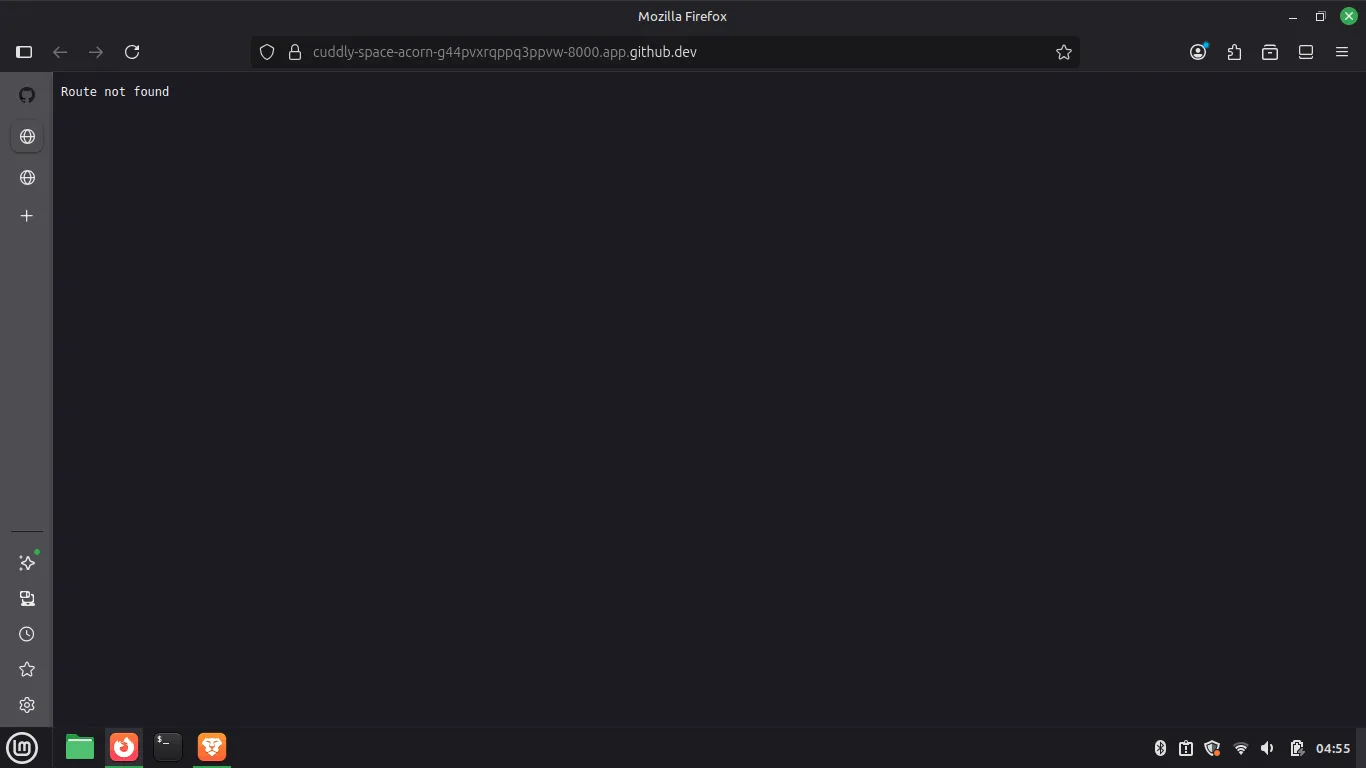
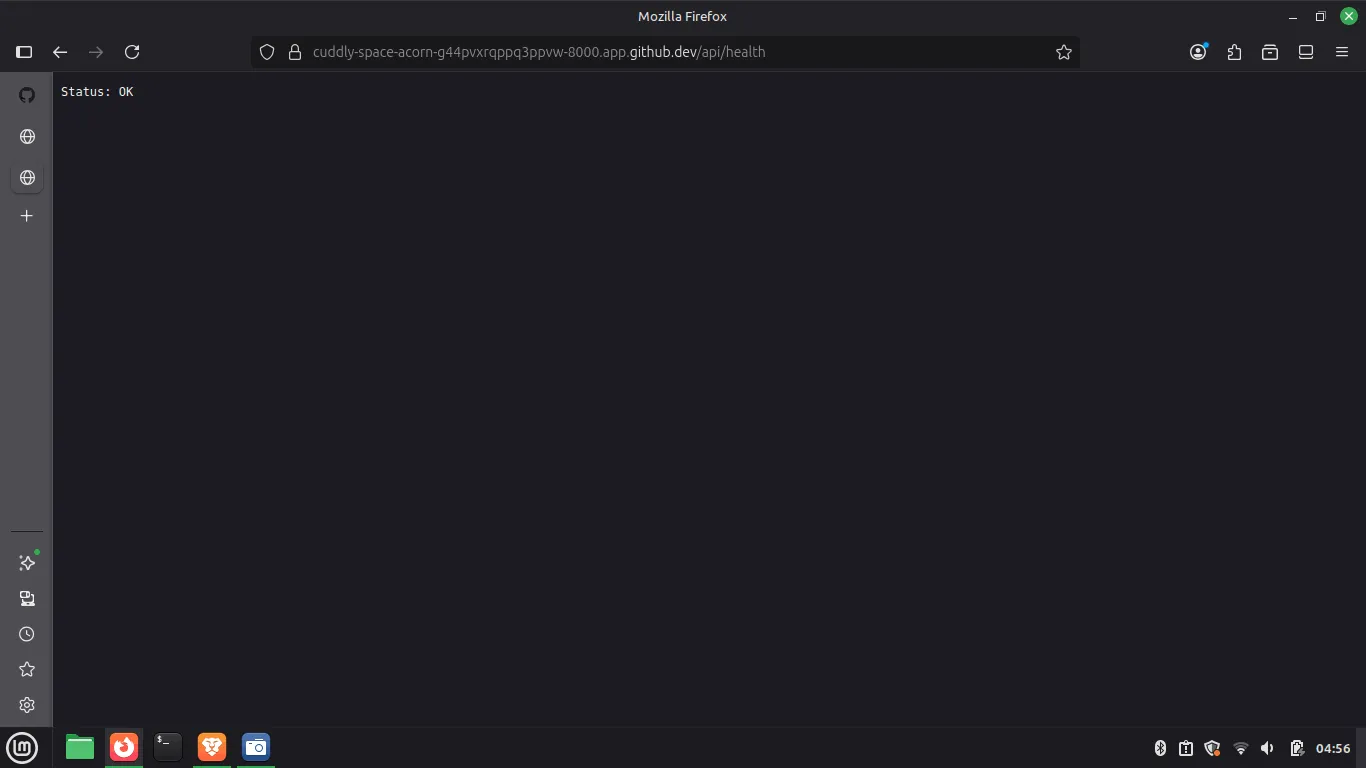
Key Points:
- fetch() handler: Called for every incoming HTTP request to the server
- URL parsing:
new URL(req.url)extracts components from the request URL - pathname: The path portion of the URL (e.g., "/api/health" from "http://localhost:8000/api/health")
- Route matching: Use conditional logic (if/else) to match request paths
- Status codes: Return appropriate HTTP status (200 for success, 404 for not found)
- Request object: Contains url, method (GET/POST), headers, and body
- Scalability: For many routes, use the routes object approach instead (see Better Routing section)
17.4. Dynamic Route Parameters
Bun.serve({
  port: 8000,
  fetch(req) {
    const url = new URL(req.url);
    const pathParts = url.pathname.split('/');

    if (pathParts[1] === "api" && pathParts[2]) {
      const id = pathParts[2];
      return new Response(`ID is: ${id}`);
    }

    return new Response("Not found", { status: 404 });
  }
});
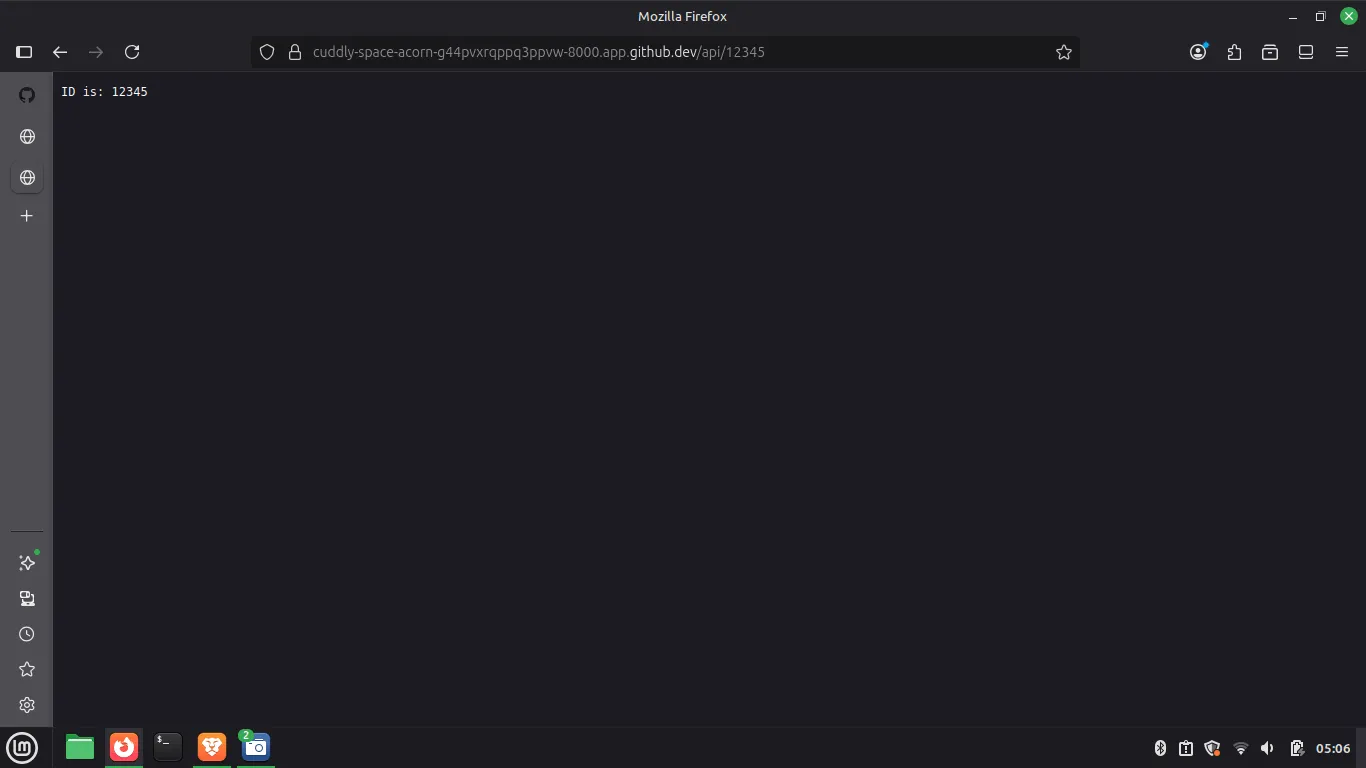
Key Points:
- pathname.split('/'): Splits URL path into segments (e.g., "/api/123" → ["", "api", "123"])
- pathParts[0]: Always empty string (before leading slash)
- pathParts[1]: First path segment ("api" in example)
- pathParts[2]: Second segment (dynamic ID value)
- Conditional checks: Verify path structure exists before accessing
- Template literals: Use backticks for dynamic string construction
- Manual parsing: Works but becomes verbose with many routes
17.5. Better Routing with Routes Object
Bun.serve({
  port: 8000,
  routes: {
    "/api/health": () => new Response("Status: OK"),

    "/api/:id": (req) => {
      return new Response(`ID is: ${req.params.id}`);
    }
  },

  // Catch-all for unmatched routes
  fetch() {
    return new Response("Route not found", { status: 404 });
  }
});
const port = Bun.env.PORT || 8000 ;
const server = Bun.serve({
    port:port,
    routes: {
        "/api/health": () => new Response("Status: OK"),
        "/api/:id": (req) => {return new Response(`ID is: ${req.params.id}`);},
        "/*": new Response("Route not found",{status:404})
    },
    // fetch(){ // Catch all for unmatched routes
    //     return new Response("Route not found",{status:404});
    // }
});

console.info(`Server is running on port ${server.port}`);
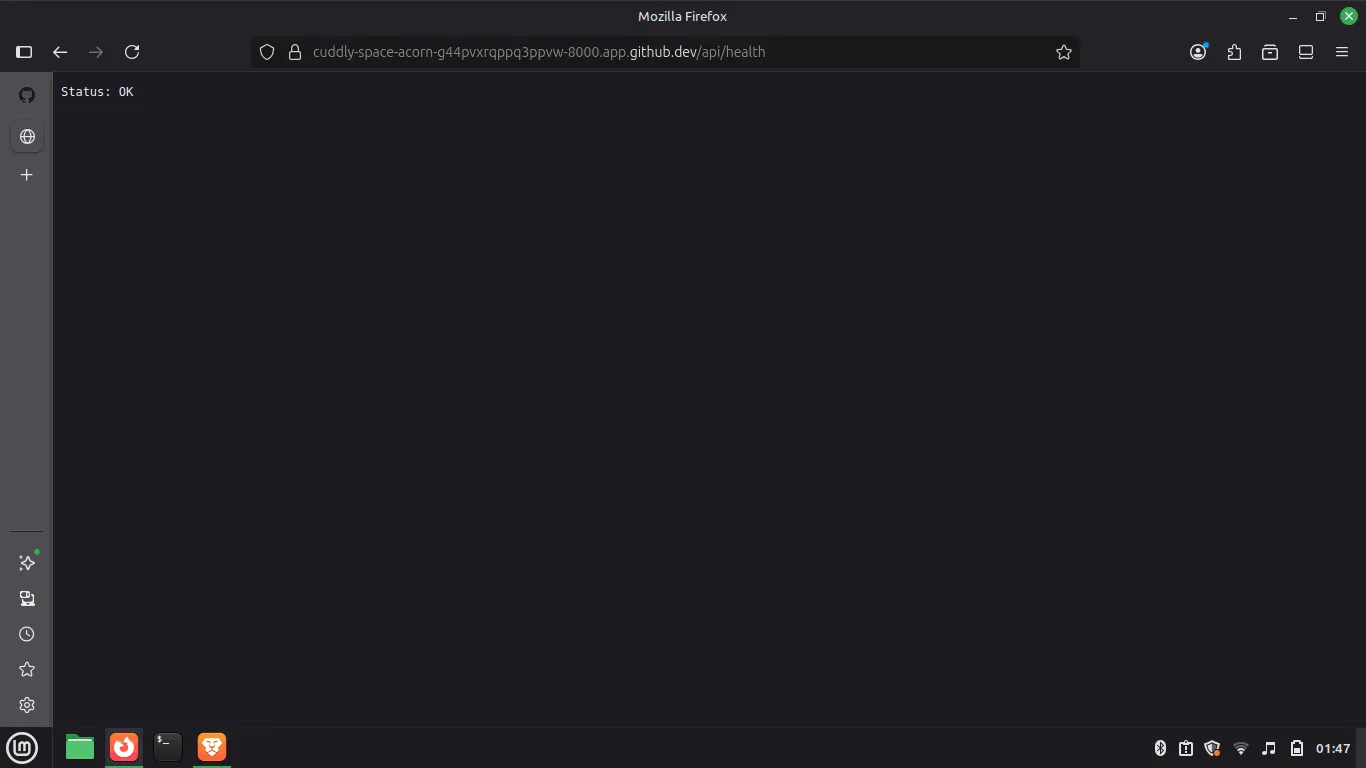
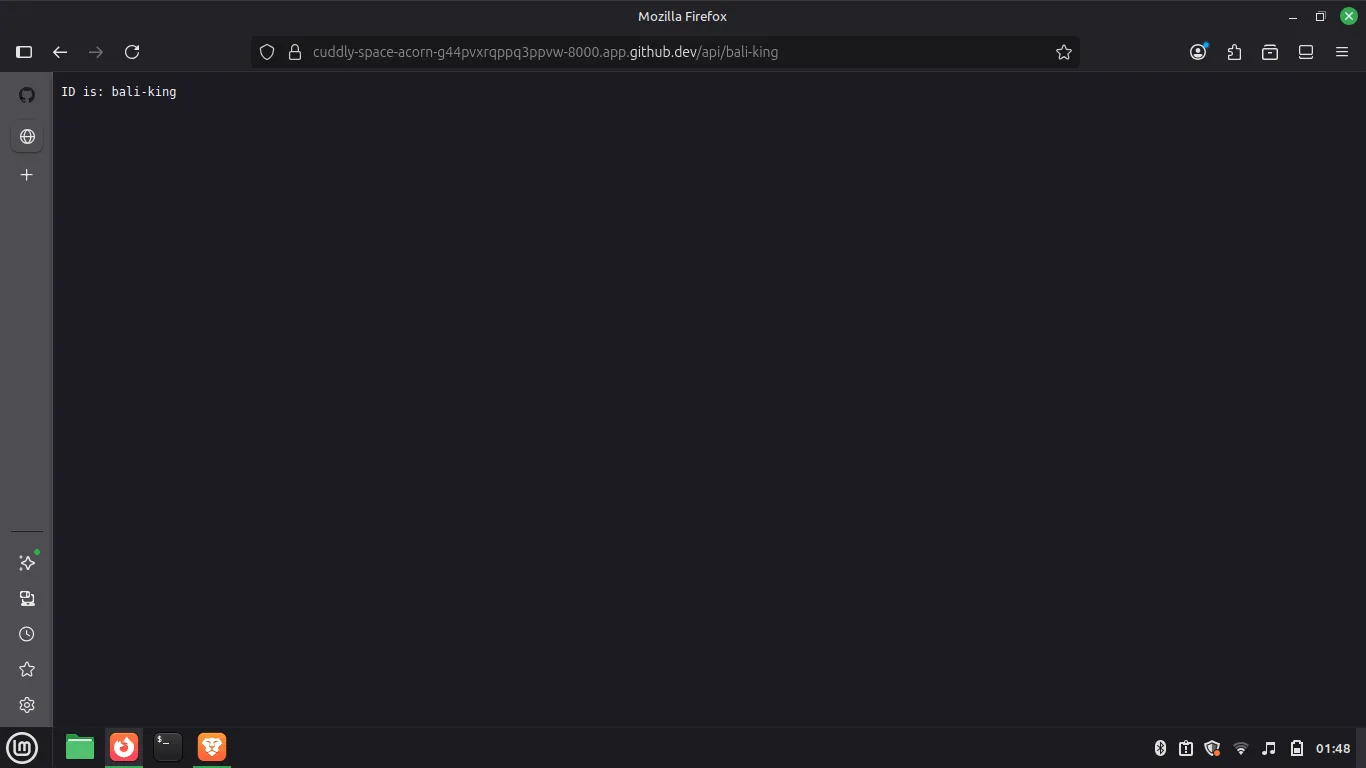
Key Points:
- routes object: Maps URL paths to handler functions (cleaner than if/else)
- Parameter syntax: Use
:paramNameto create dynamic segments (e.g.,:id) - req.params: Object containing matched path parameters
- Static routes: Exact path matching (e.g., "/api/health")
- Dynamic routes: Pattern matching (e.g., "/api/:id" matches "/api/123", "/api/abc")
- fetch() fallback: Handles routes not matched in routes object (404)
- Readability: Routes object is more maintainable than manual pathname parsing
18. Complete CRUD API Example
// Setup
type TPost = {id:string;title:string;};
let posts: TPost[] = [];

// Server
const port = Bun.env.PORT || 8000 ;
const server = Bun.serve({
    port: port,
    routes: {
              "/api/health": new Response ("Status OK"),
        "/api/posts": {
            // GET All Posts
            GET: () => Response.json(posts),

            // POST Create Post
            POST: async (req) => {
                const body = await req.json() as Omit<TPost,"id">;
                posts.push({
                    id: crypto.randomUUID(),
                    title: body.title
                });
                return new Response("Created");
            }
        },
        "/api/posts/:id": {
            // PUT Update Post
            PUT: async(req) => {
                const id = req.params.id as string;
                const body = await req.json() as Omit<TPost,"id">;

                const postIndex = posts.findIndex(post => post.id === id);

                if (postIndex === -1){
                    return new Response("Post Not found",{status: 404});
                }
                posts[postIndex]!.title = body.title;
                return new Response("Updated");
            },

            // DELETE Post
            DELETE: (req) => {
                const id = req.params.id as string;

                const postIndex = posts.findIndex(post => post.id === id);

                if (postIndex === -1){
                    return new Response("Post Not found",{status: 404});
                }

                posts.splice(postIndex,1);

                return new Response("Deleted");
            },
        }
    }
})
18.1. What is CRUD?
- CRUD = Create, Read, Update, Delete (four basic operations on data)
- Create = Add new data (POST request)
- Read = Get existing data (GET request)
- Update = Modify existing data (PUT request)
- Delete = Remove data (DELETE request)
- Used in: databases, user management, todo apps, social media
18.2. What are HTTP Methods?
- GET = "Give me data" (read-only, safe)
- POST = "Here's new data" (creates something)
- PUT = "Update this data" (modifies something)
- DELETE = "Remove this data" (deletes something)
- Why different methods? Tell server what action you want
18.3. Setup
18.4. GET All Posts
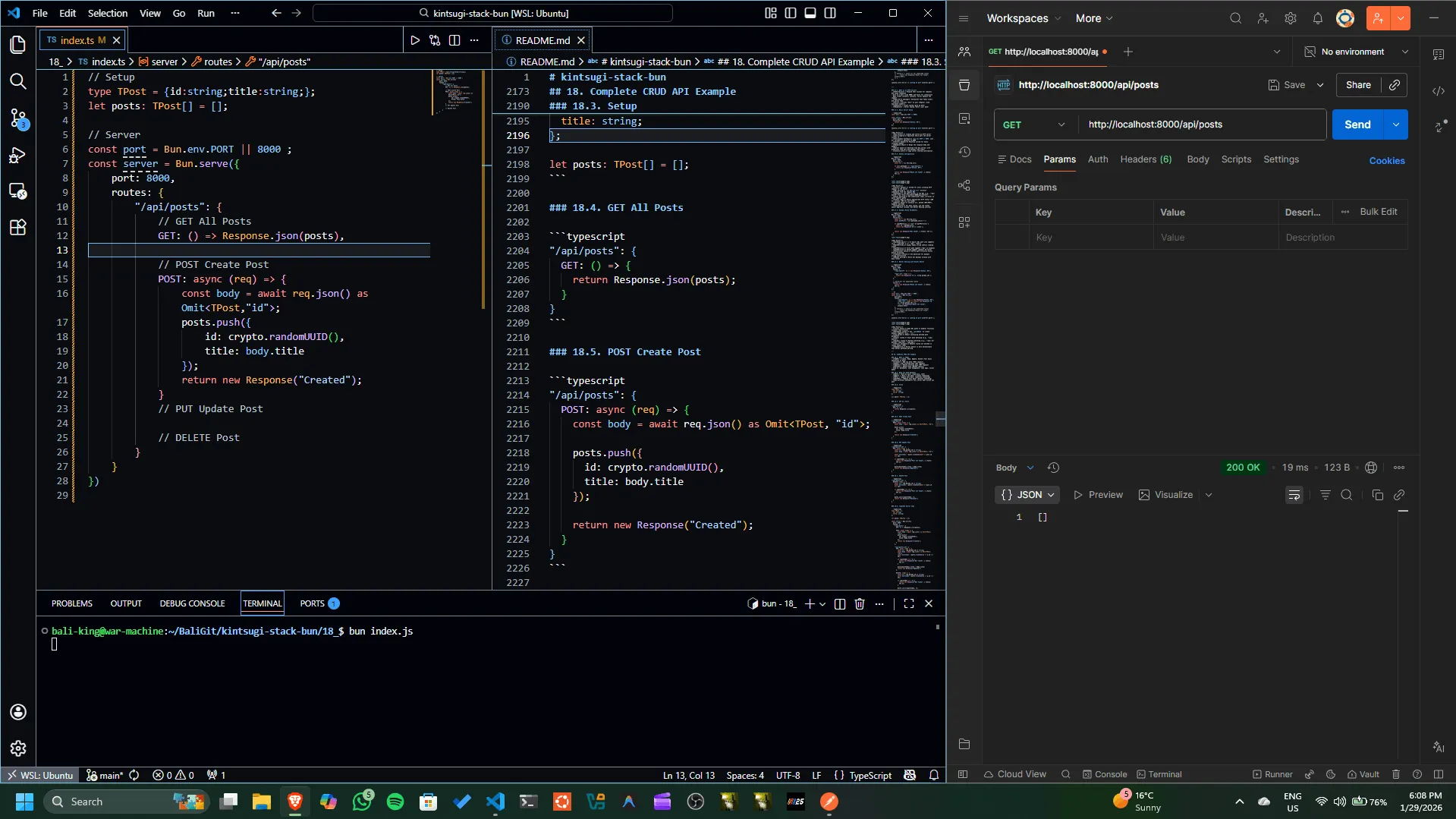
Key Points:
- Response.json(): Bun's utility to return JSON data
- Automatic Headers: Sets
Content-Type: application/jsonautomatically - Serialization: Automatically stringifies the object/array
- Status Code: Defaults to 200 OK
18.5. POST Create Post
"/api/posts": {
POST: async (req) => {
const body = await req.json() as Omit<TPost, "id">;
posts.push({
id: crypto.randomUUID(),
title: body.title
});
return new Response("Created");
}
}
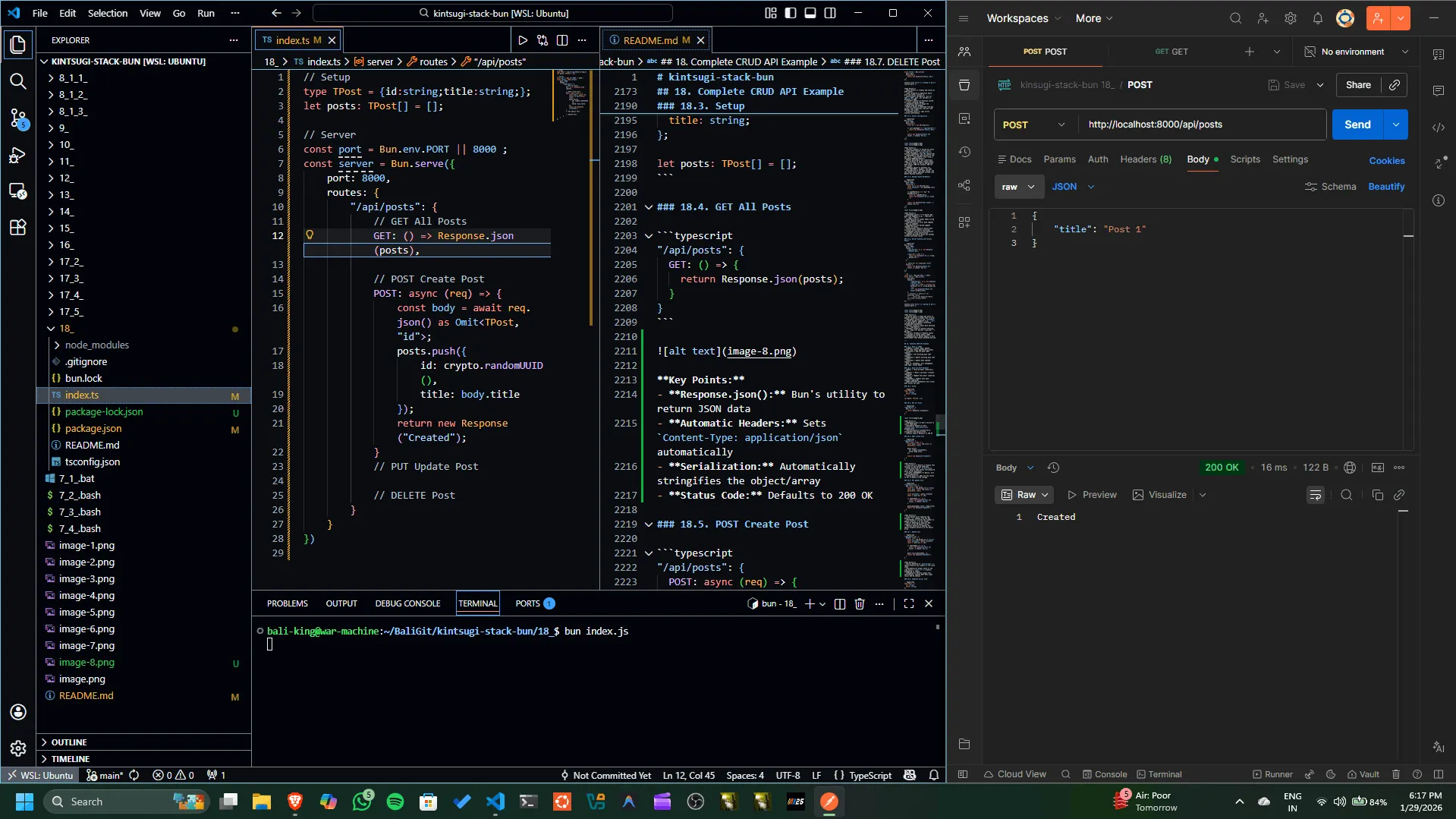
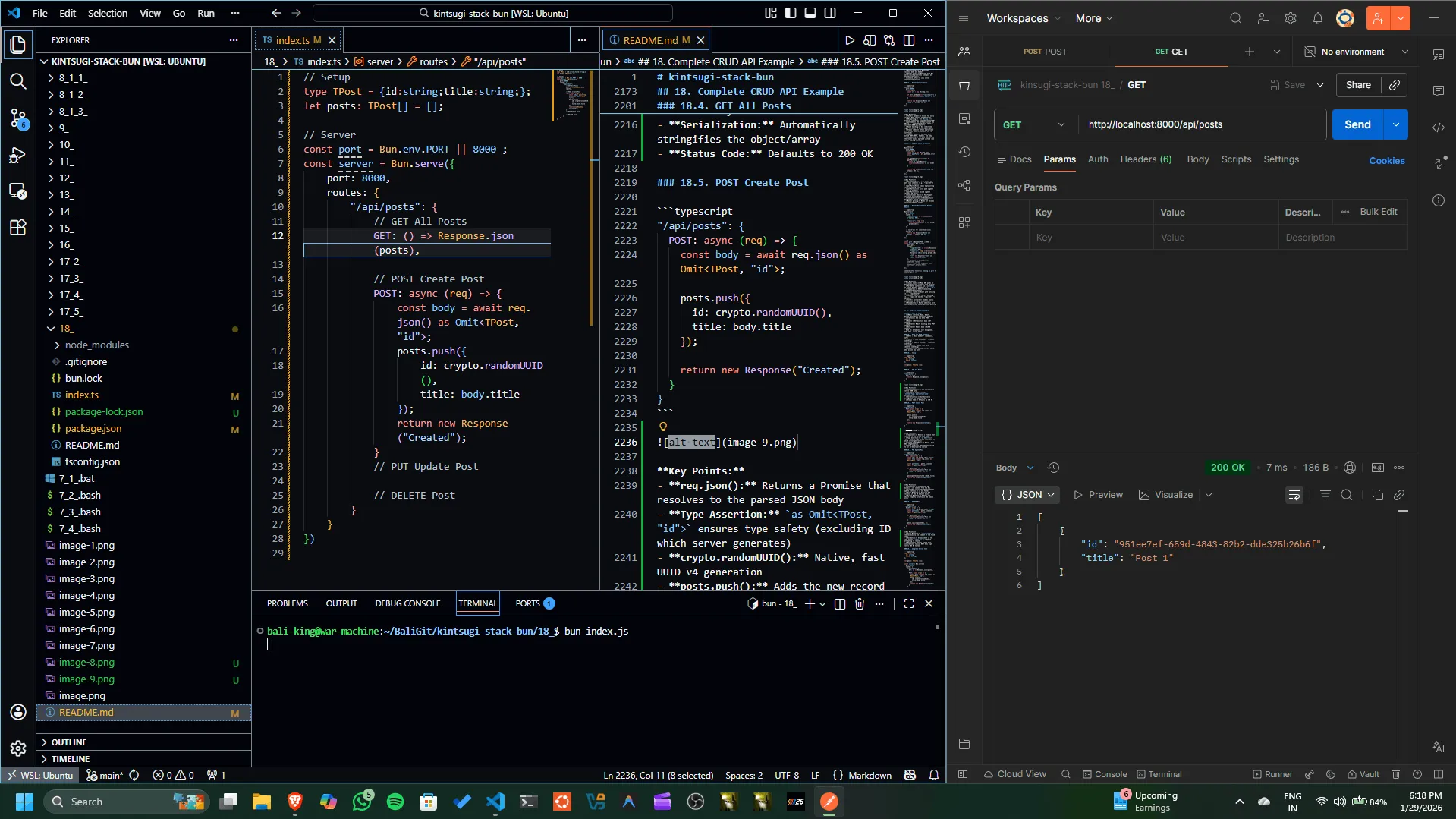
Key Points:
- req.json(): Returns a Promise that resolves to the parsed JSON body
- Type Assertion:
as Omit<TPost, "id">ensures type safety (excluding ID which server generates) - crypto.randomUUID(): Native, fast UUID v4 generation
- posts.push(): Adds the new record to our in-memory array storage
18.6. PUT Update Post
"/api/posts/:id": {
PUT: async (req) => {
const id = req.params.id as string;
const body = await req.json() as Omit<TPost, "id">;
const postIndex = posts.findIndex(post => post.id === id);
if (postIndex === -1) {
return new Response("Post not found", { status: 404 });
}
posts[postIndex]!.title = body.title;
return new Response("Updated");
}
}
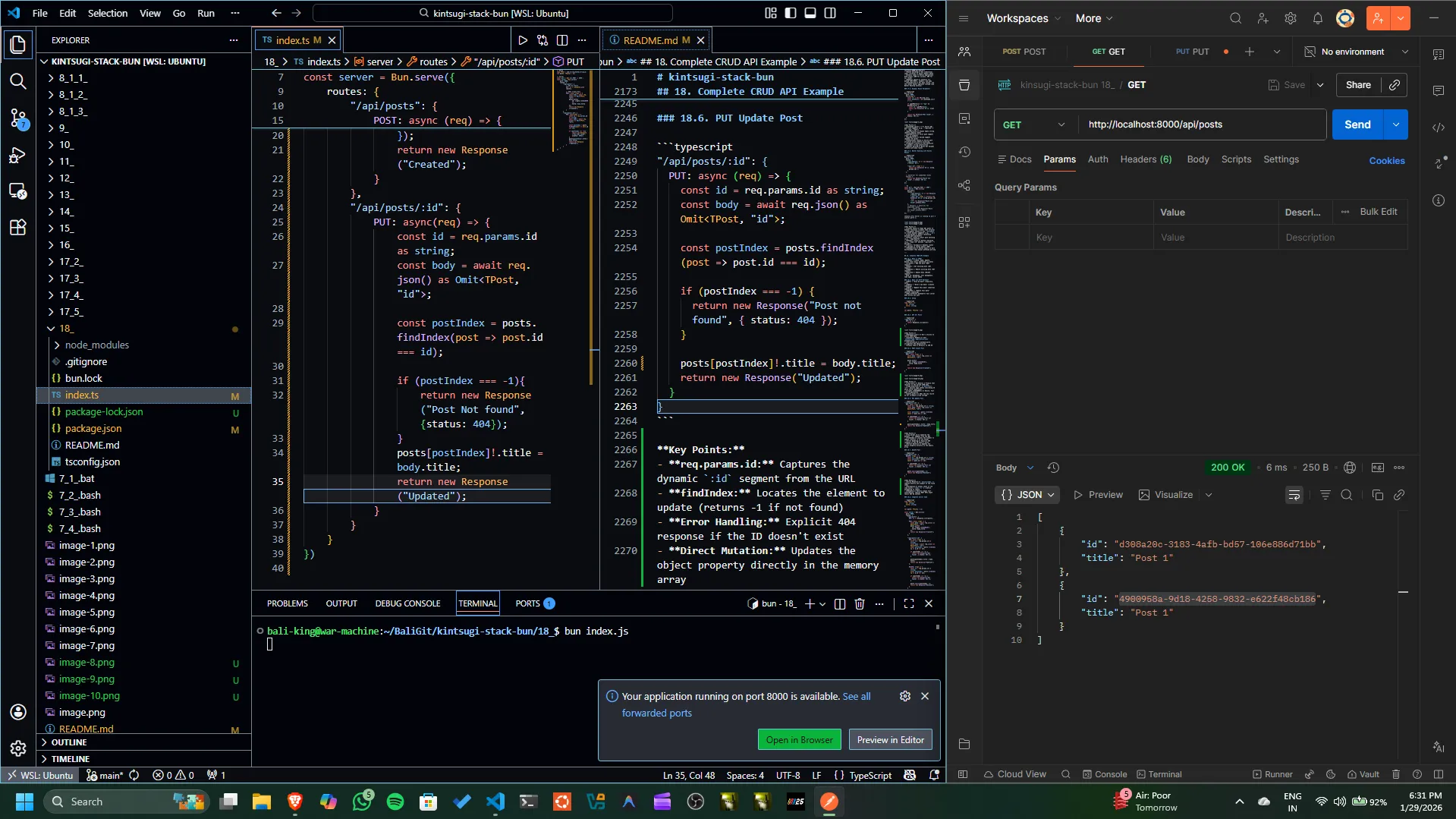
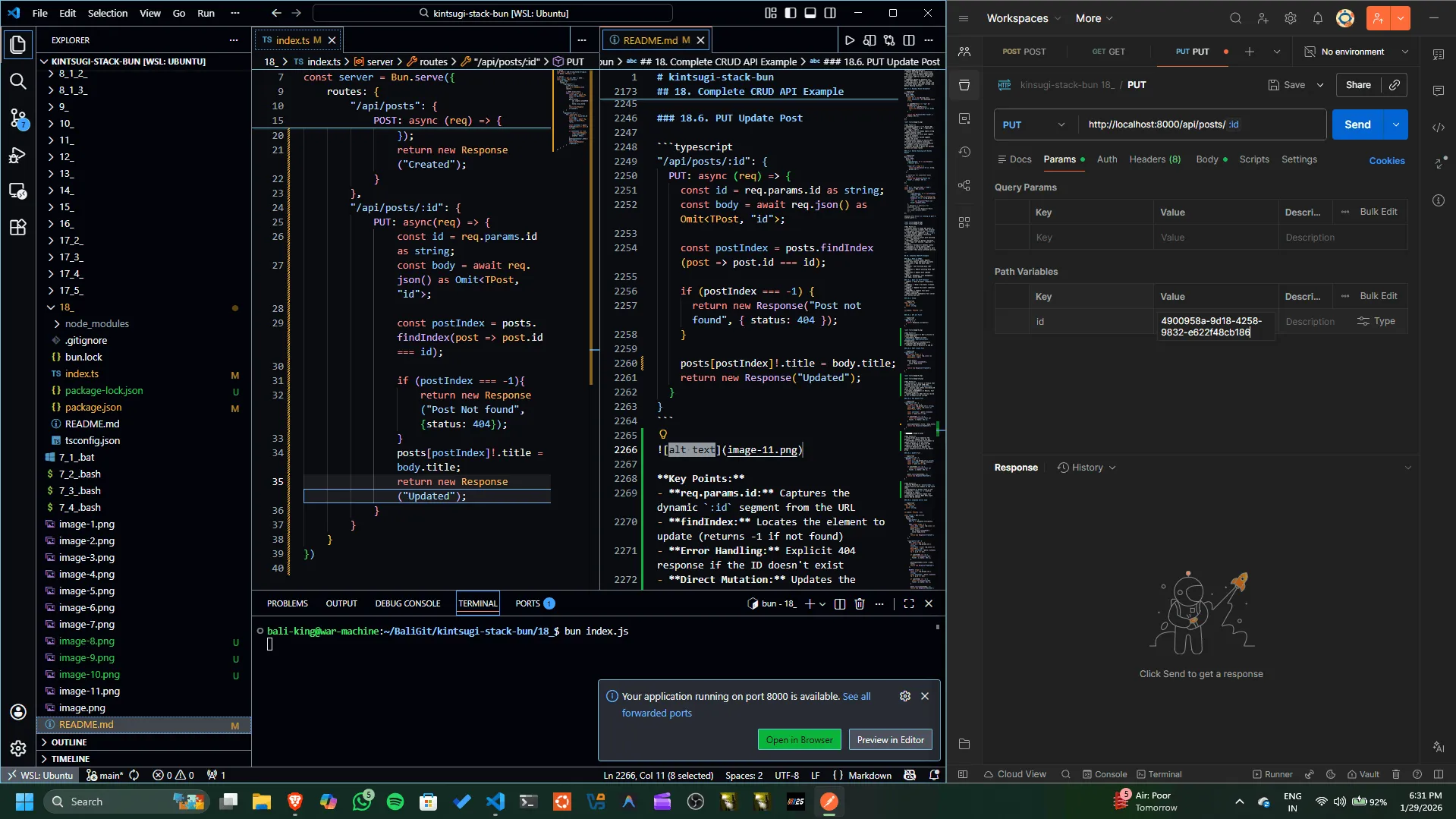
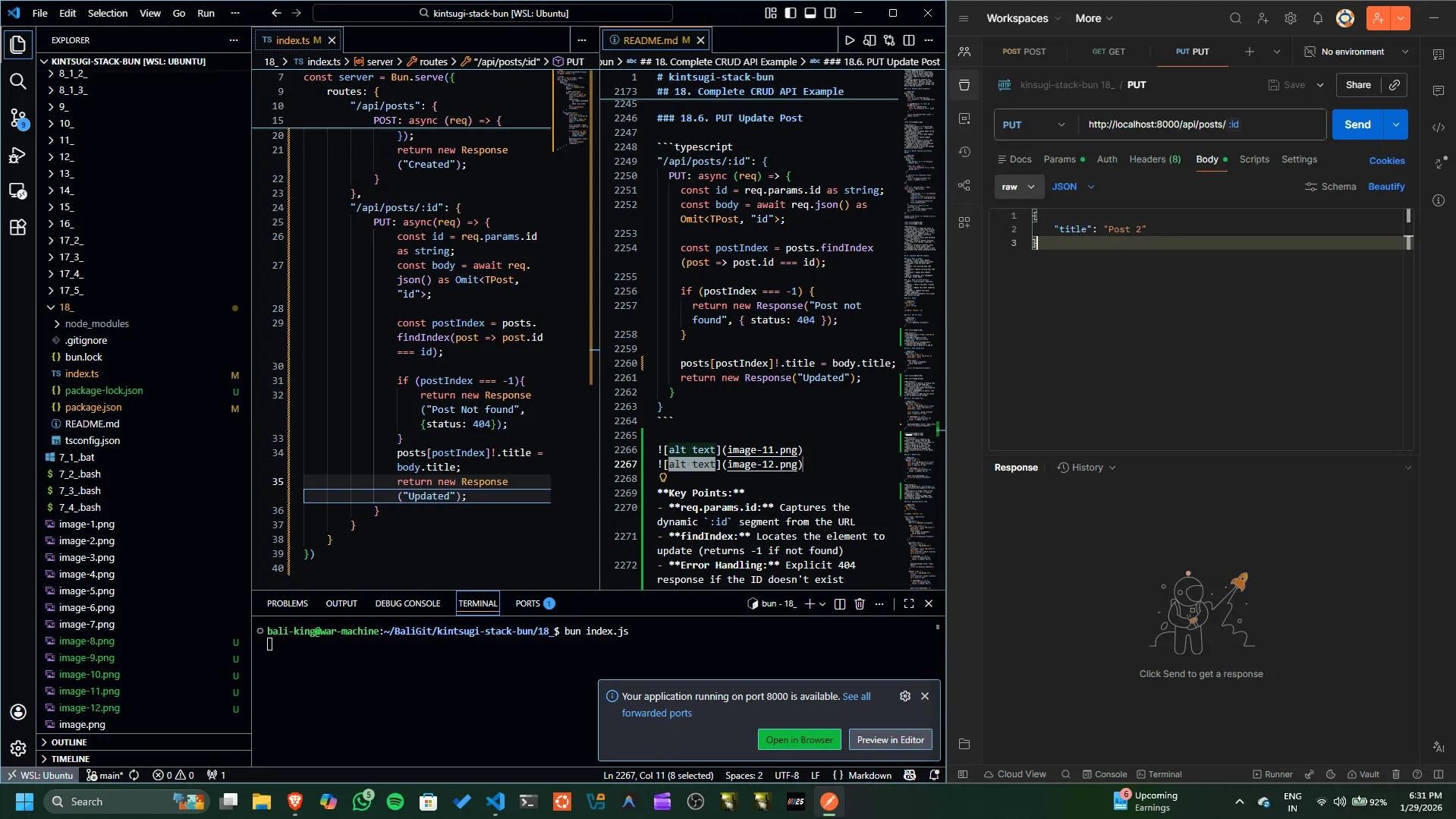
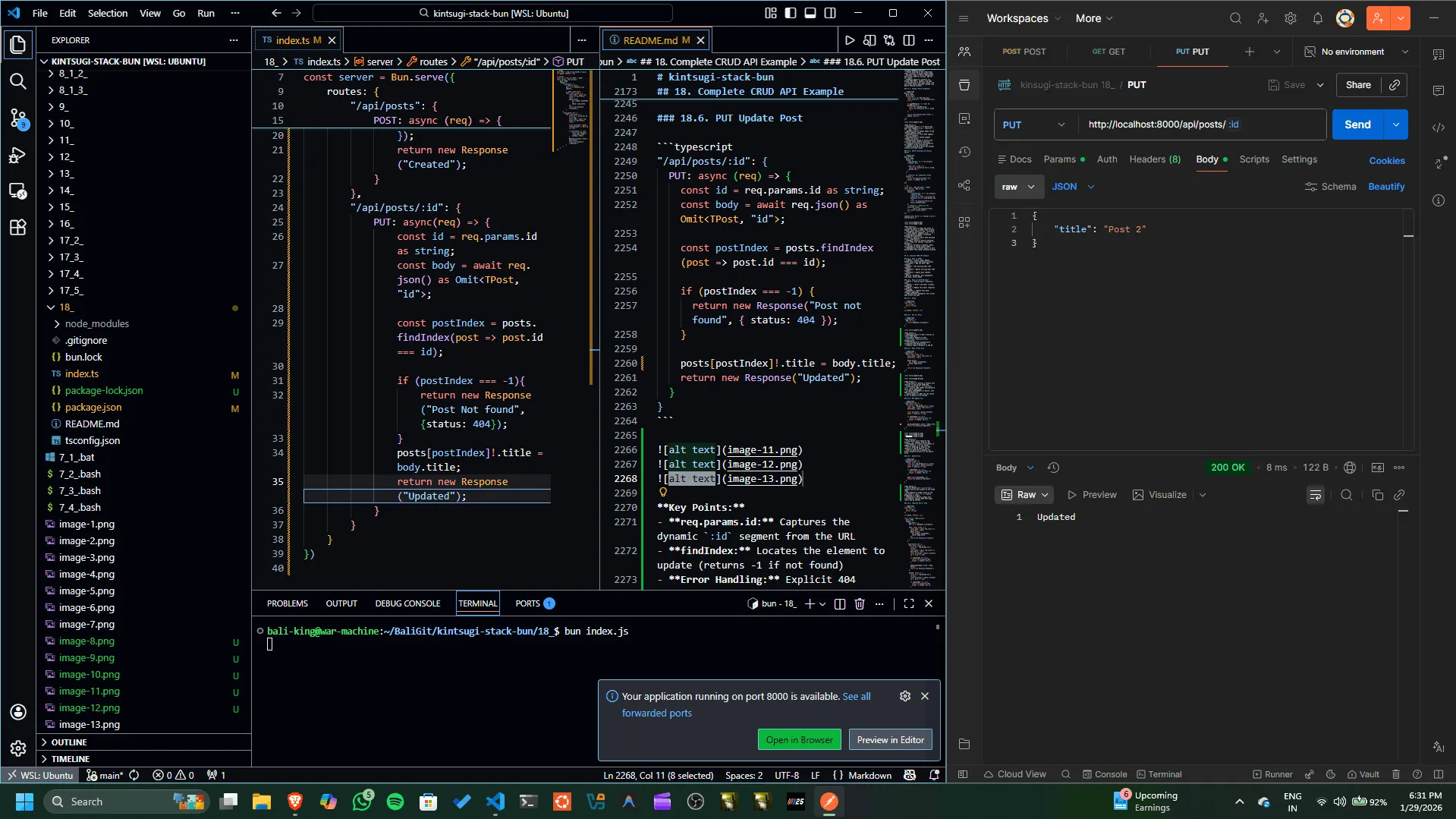
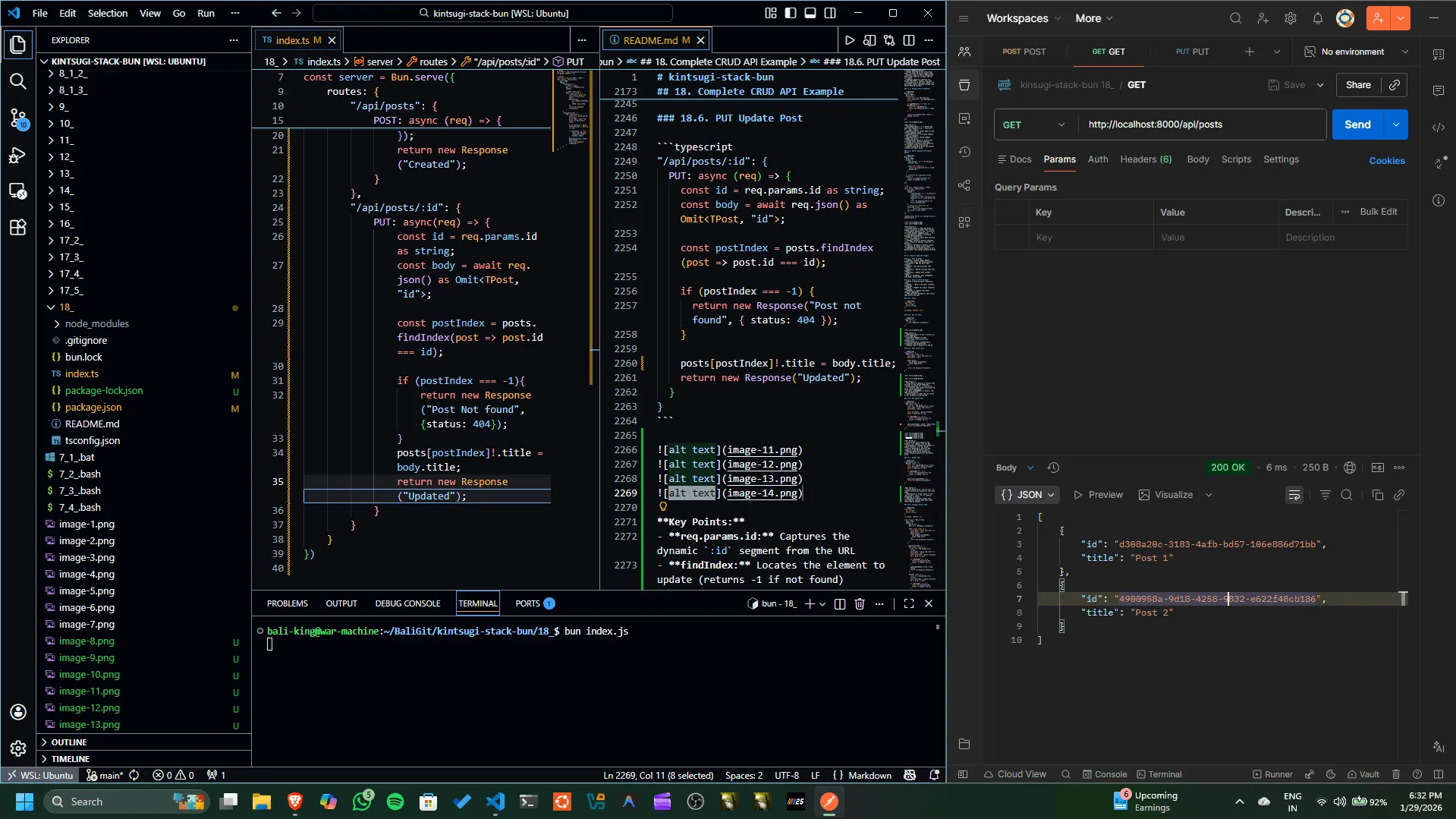
Key Points:
- req.params.id: Captures the dynamic
:idsegment from the URL - findIndex: Locates the element to update (returns -1 if not found)
- Error Handling: Explicit 404 response if the ID doesn't exist
- Direct Mutation: Updates the object property directly in the memory array
18.7. DELETE Post
"/api/posts/:id": {
DELETE: (req) => {
const id = req.params.id as string;
const postIndex = posts.findIndex(post => post.id === id);
if (postIndex === -1) {
return new Response("Post not found", { status: 404 });
}
posts.splice(postIndex, 1);
return new Response("Deleted");
}
}
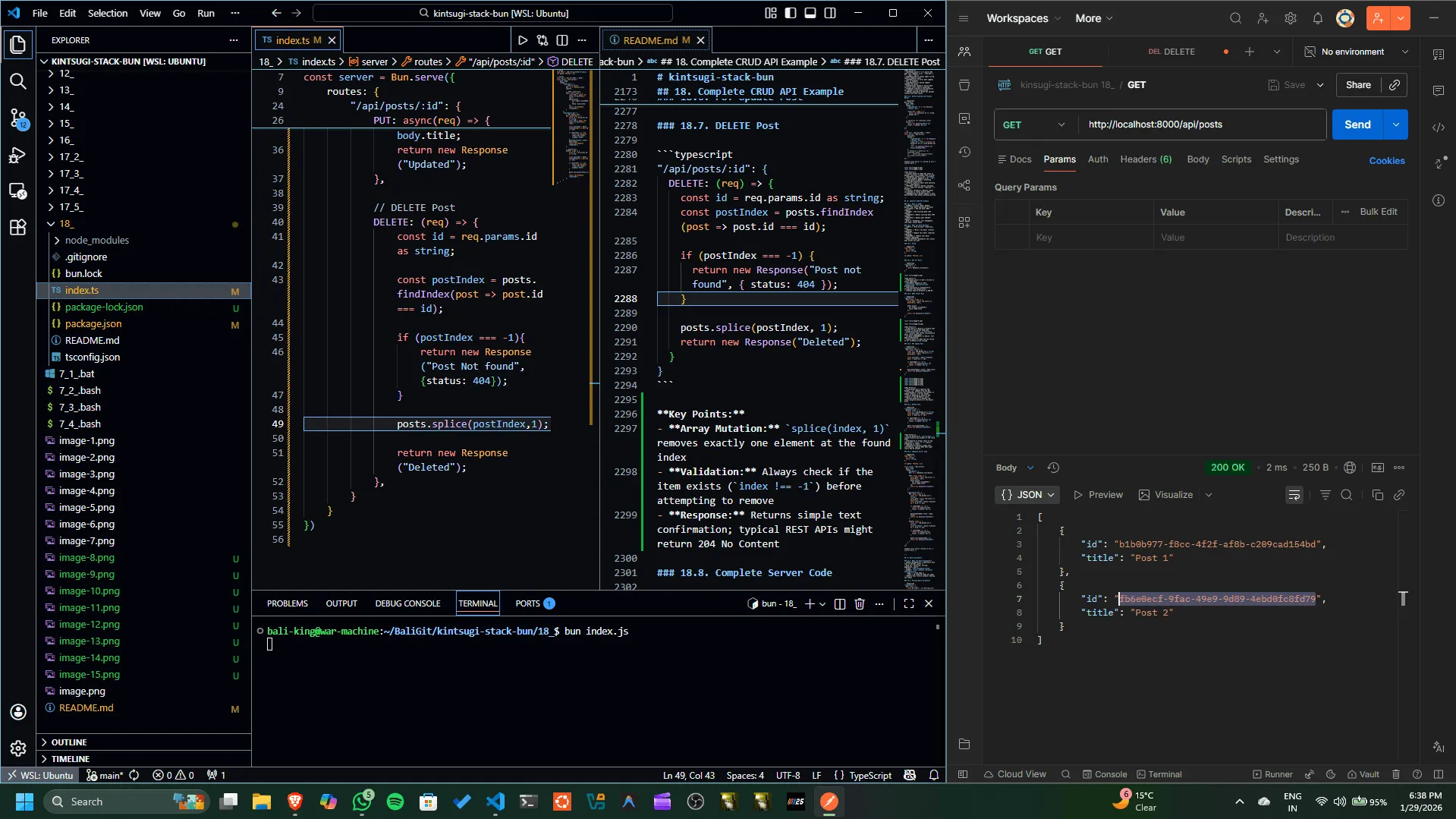
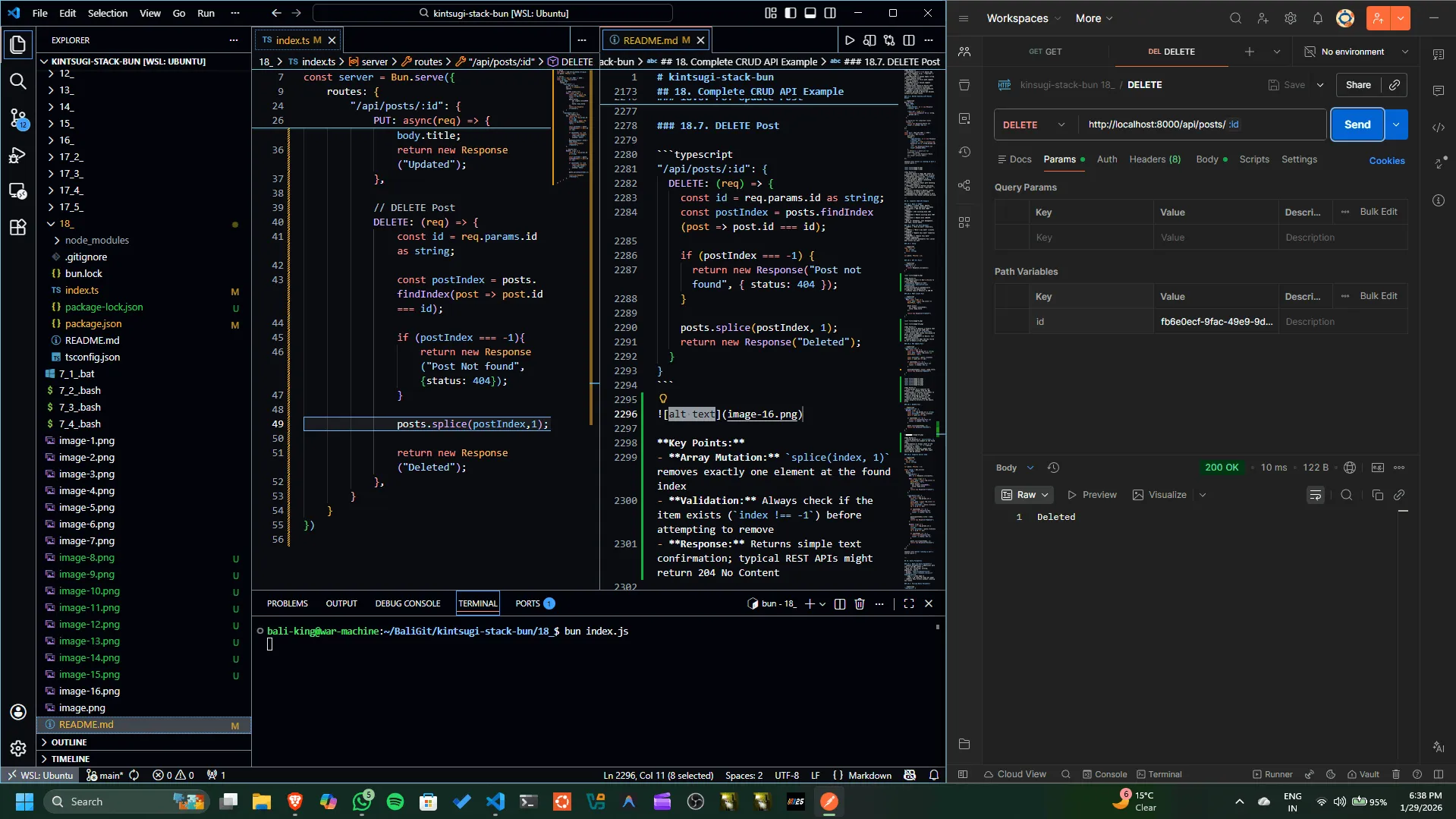
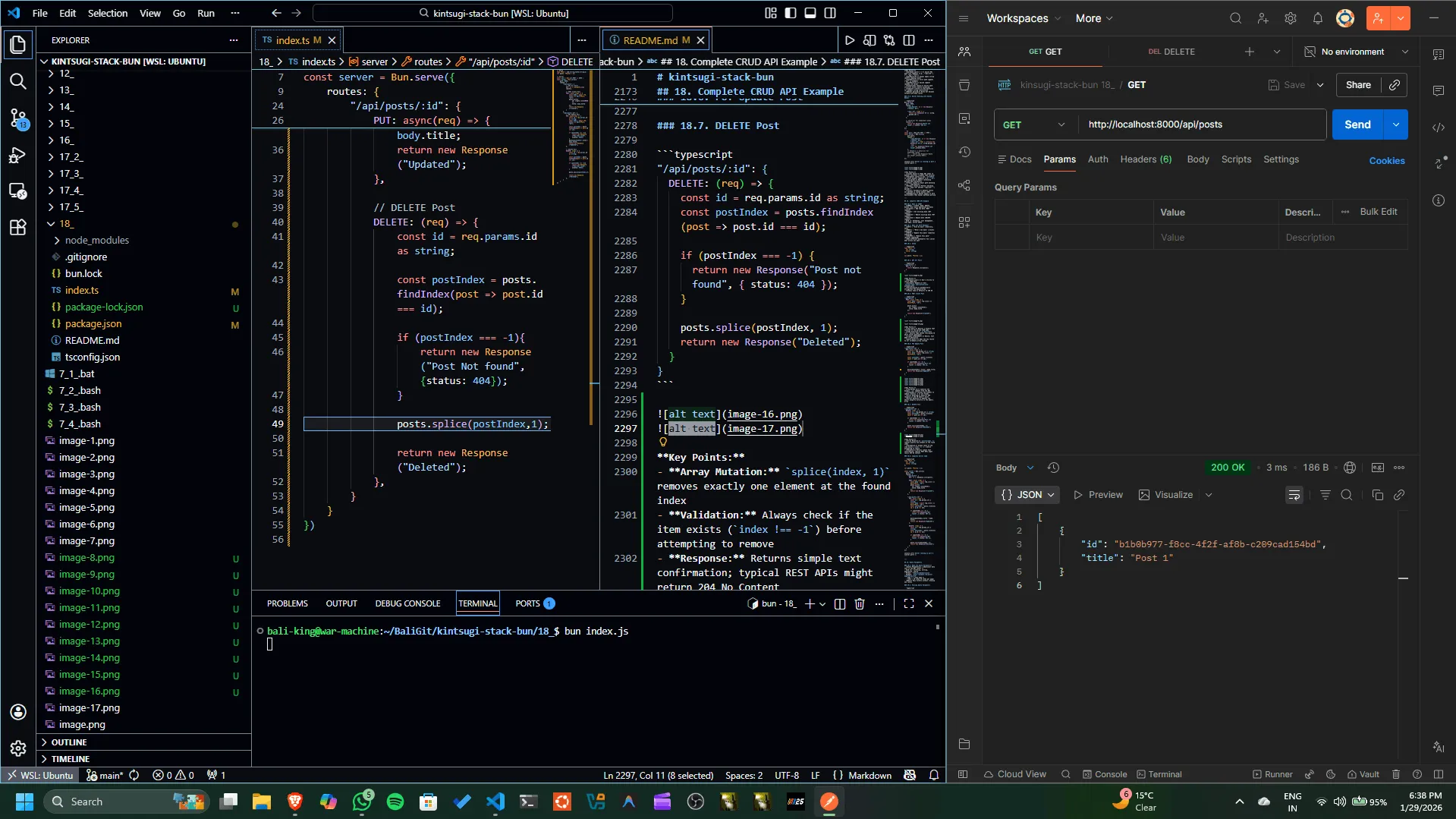
Key Points:
- Array Mutation:
splice(index, 1)removes exactly one element at the found index - Validation: Always check if the item exists (
index !== -1) before attempting to remove - Response: Returns simple text confirmation; typical REST APIs might return 204 No Content
18.8. Complete Server Code
type TPost = {
  id: string;
  title: string;
};

let posts: TPost[] = [];
const server = Bun.serve({
port: 8000,
routes: {
"/api/posts": {
GET: () => Response.json(posts),
POST: async (req) => {
const body = await req.json() as Omit<TPost, "id">;
posts.push({
id: crypto.randomUUID(),
title: body.title
});
return new Response("Created");
}
},
"/api/posts/:id": {
PUT: async (req) => {
const id = req.params.id as string;
const body = await req.json() as Omit<TPost, "id">;
const postIndex = posts.findIndex(p => p.id === id);
if (postIndex === -1) {
return new Response("Not found", { status: 404 });
}
posts[postIndex].title = body.title;
return new Response("Updated");
},
DELETE: (req) => {
const id = req.params.id as string;
const postIndex = posts.findIndex(p => p.id === id);
if (postIndex === -1) {
return new Response("Not found", { status: 404 });
}
posts.splice(postIndex, 1);
return new Response("Deleted");
}
}
}
});
console.info(`Server running on port ${server.port}`);
19. Query Parameters
// Setup
type TPost = {id:string;title:string;};
let posts: TPost[] = [];

// Server
const port = Bun.env.PORT || 8000 ;
const server = Bun.serve({
    port: port,
    routes: {
        "/api/health": new Response ("Status OK"),
        "/api/posts": {
            // GET All Posts
            // GET: () => Response.json(posts), // Old
            GET: (req) => {
                  const parsedUrl = new URL(req.url);
    // Method 1: Get individual parameters
    const page = parsedUrl.searchParams.get("page");
    const limit = parsedUrl.searchParams.get("limit");
    console.log(page, limit); // "1" "10"

    // Method 2: Get all parameters as object
    const params = Object.fromEntries(parsedUrl.searchParams.entries());
    console.log(params) // { page: "1", limit: "10" }

                return Response.json(posts);
            },

            // POST Create Post
            POST: async (req) => {
                const body = await req.json() as Omit<TPost,"id">;
                posts.push({
                    id: crypto.randomUUID(),
                    title: body.title
                });
                return new Response("Created");
            }
        },
        "/api/posts/:id": {
            // PUT Update Post
            PUT: async(req) => {
                const id = req.params.id as string;
                const body = await req.json() as Omit<TPost,"id">;

                const postIndex = posts.findIndex(post => post.id === id);

                if (postIndex === -1){
                    return new Response("Post Not found",{status: 404});
                }
                posts[postIndex]!.title = body.title;
                return new Response("Updated");
            },

            // DELETE Post
            DELETE: (req) => {
                const id = req.params.id as string;

                const postIndex = posts.findIndex(post => post.id === id);

                if (postIndex === -1){
                    return new Response("Post Not found",{status: 404});
                }

                posts.splice(postIndex,1);

                return new Response("Deleted");
            },
        }
    }
})
19.1. What are Query Parameters?
- Query Parameters = Additional data sent in the URL (after ?)
- Used for: filtering, sorting, pagination, search
- Format:
?key=value&key2=value2 - Example:
http://example.com/posts?page=1&limit=10 - page = 1 (show page 1)
- limit = 10 (show 10 items per page)
- Why? Pass filters without creating new routes
19.2. Parsing Query Parameters
"/api/posts": {
  GET: (req) => {
    const parsedUrl = new URL(req.url);

    // Method 1: Get individual parameters
    const page = parsedUrl.searchParams.get("page");
    const limit = parsedUrl.searchParams.get("limit");
    console.log(page, limit); // "1" "10"

    // Method 2: Get all parameters as object
    const params = Object.fromEntries(parsedUrl.searchParams.entries());
    console.log(params); // { page: "1", limit: "10" }

    return Response.json(posts);
  }
}
Test with:
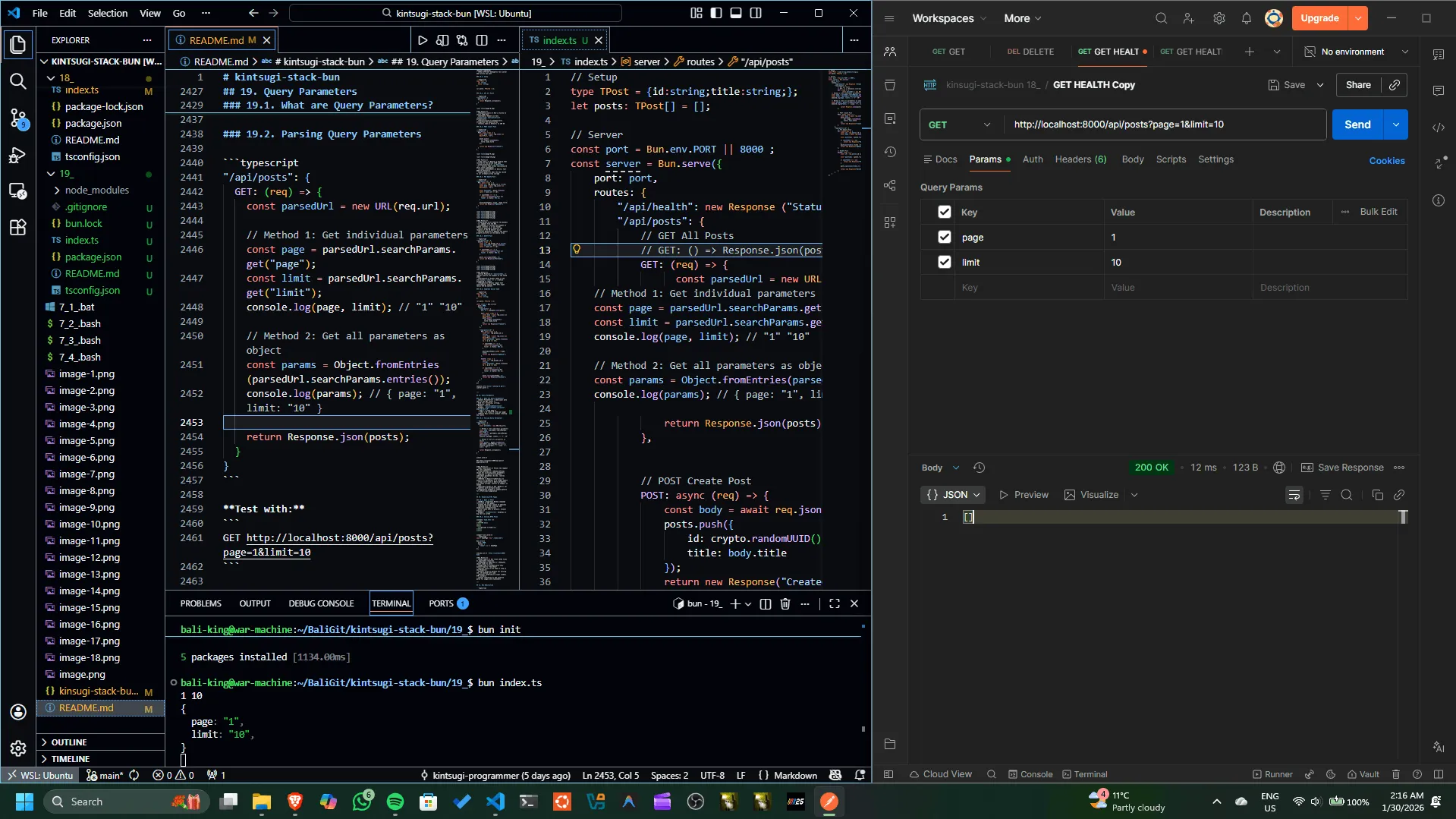
Key Points:
- URL constructor: Parses the request URL into components
- searchParams: A URLSearchParams object for accessing query parameters
- Method 1 (.get()): Retrieve individual parameters by key, returns string or null
- Method 2 (Object.fromEntries): Convert all parameters to a single object
- Type conversion: Query parameters are always strings, convert to numbers if needed
- Multiple values: Use .getAll() for parameters with multiple values
- Pagination example: Common pattern for offset/limit pagination
20. Rendering HTML Pages
import homePage from "./home.html";
Bun.serve({
    port:8000,
    routes:{ "/home": homePage } // automatic serialize
}
)
20.1. What is HTML?
- HTML = HyperText Markup Language (structure of web pages)
- Creates the visual layout of websites
- Combined with CSS (styling) and JavaScript (interactivity)
- Server sends HTML to browser, browser displays it
- Example:
<h1>Hello</h1>displays as big text on screen
20.2. Serving HTML Files
Create home.html:
Import and serve:
import homePage from "./home.html";

Bun.serve({
  port: 8000,
  routes: {
    "/home": homePage // automatic serialize
  }
});
Access at: http://localhost:8000/home
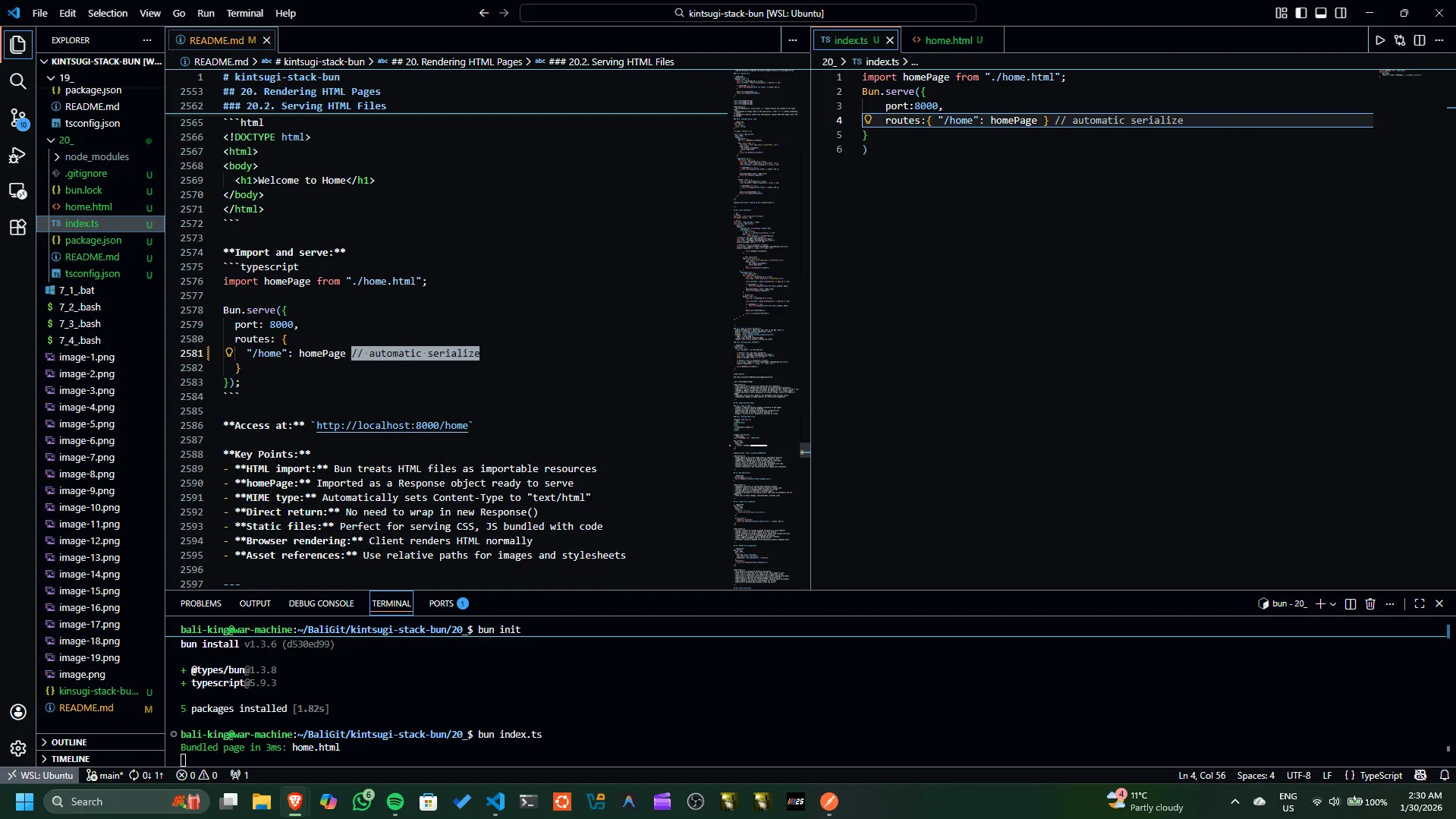

Key Points:
- HTML import: Bun treats HTML files as importable resources
- homePage: Imported as a Response object ready to serve
- MIME type: Automatically sets Content-Type to "text/html"
- Direct return: No need to wrap in new Response()
- Static files: Perfect for serving CSS, JS bundled with code
- Browser rendering: Client renders HTML normally
- Asset references: Use relative paths for images and stylesheets
21. URL Redirection
import homePage from "./home.html";
Bun.serve({
    port:8000,
    routes:{
        "/home": homePage,
        "/ge": Response.redirect("https://google.com")

     } // automatic serialize
}
)
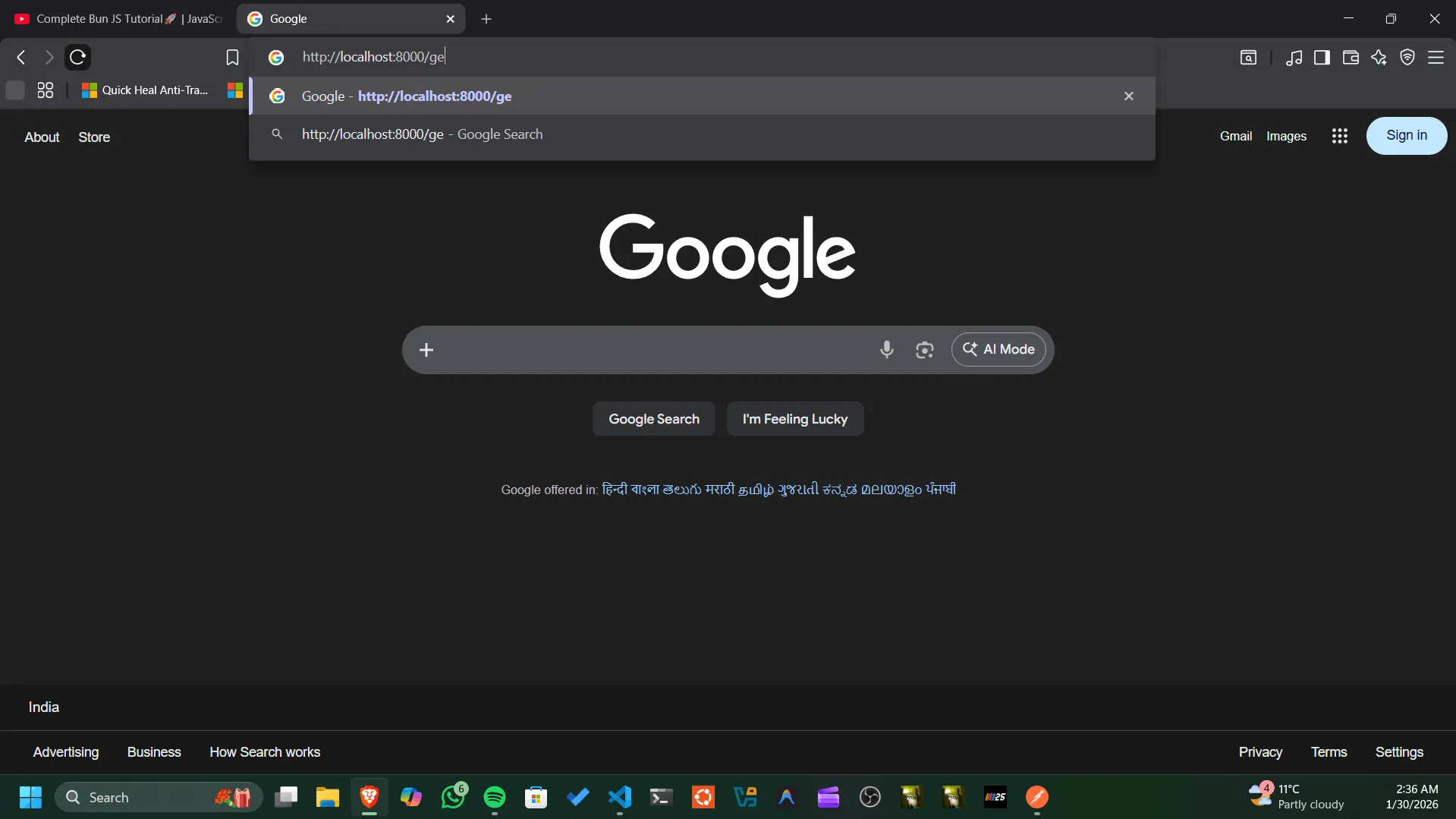
Key Points:
- Response.redirect(): Creates HTTP redirect response
- Default status: Uses 302 (temporary redirect) status code
- Browser behavior: Automatically navigates to new URL
- Target URL: Can be absolute or relative paths
- Optional parameter: Can specify status code (301 for permanent, 302 for temporary)
- Use case: Route changes, shortened URLs, external links
22. Global Error Handling
import homePage from "./home.html";
Bun.serve({
    port:8000,
    routes:{
        "/home": homePage,
        "/ge": Response.redirect("https://google.com"),
        "/error": () => {
            throw new Error("This is hypothetical Test Error");
        }

     }, // automatic serialize

     error(error){
        console.error(error);
        return new Response("Internal Server Error", {status:500});
     }
}
)
Bun.serve({
  port: 8000,
  routes: {
    "/error": () => {
      throw new Error("This is an error");
    }
  },

  error(error) {
    console.error(error);
    return new Response("Internal Server Error", { status: 500 });
  }
});
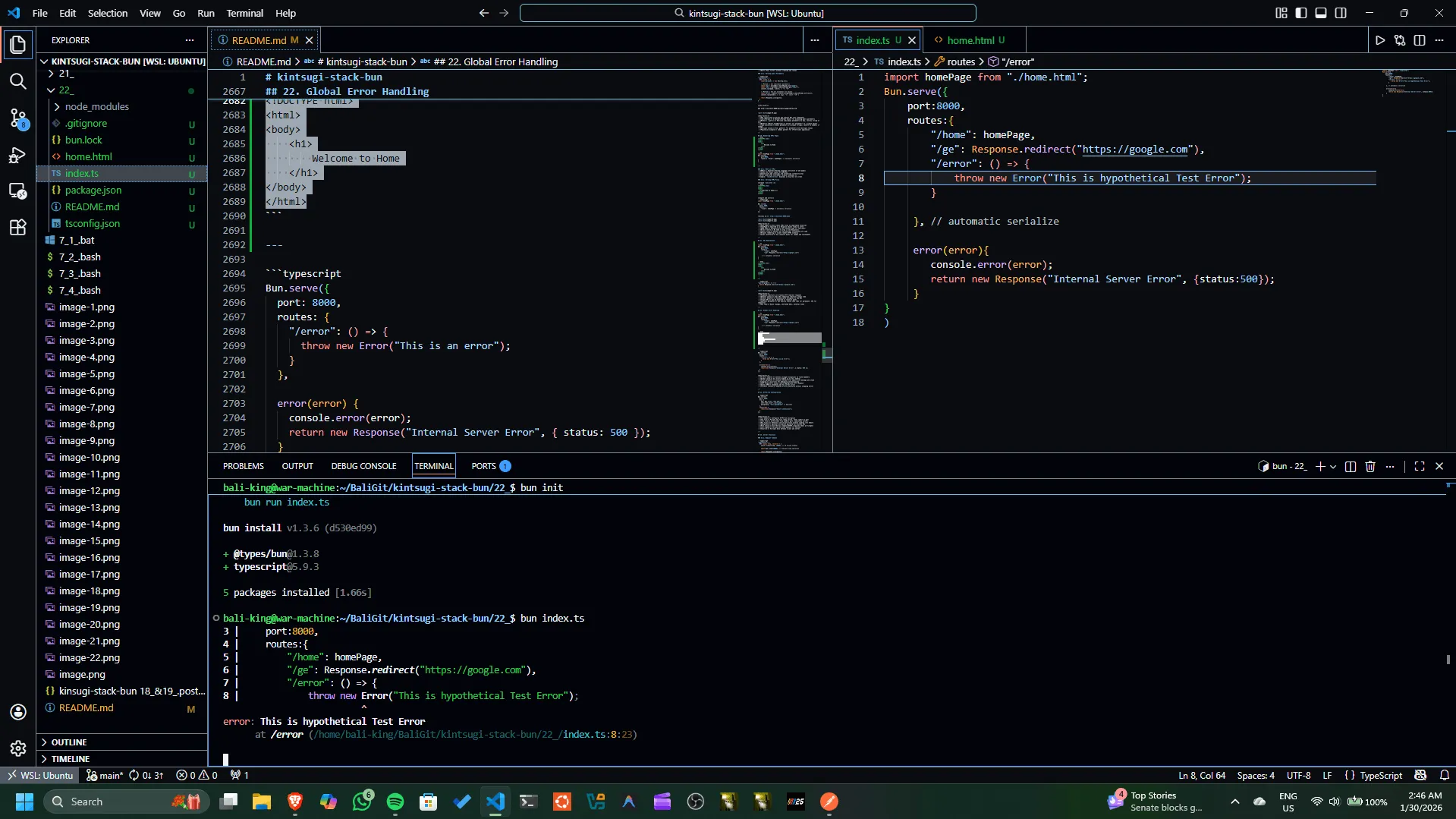
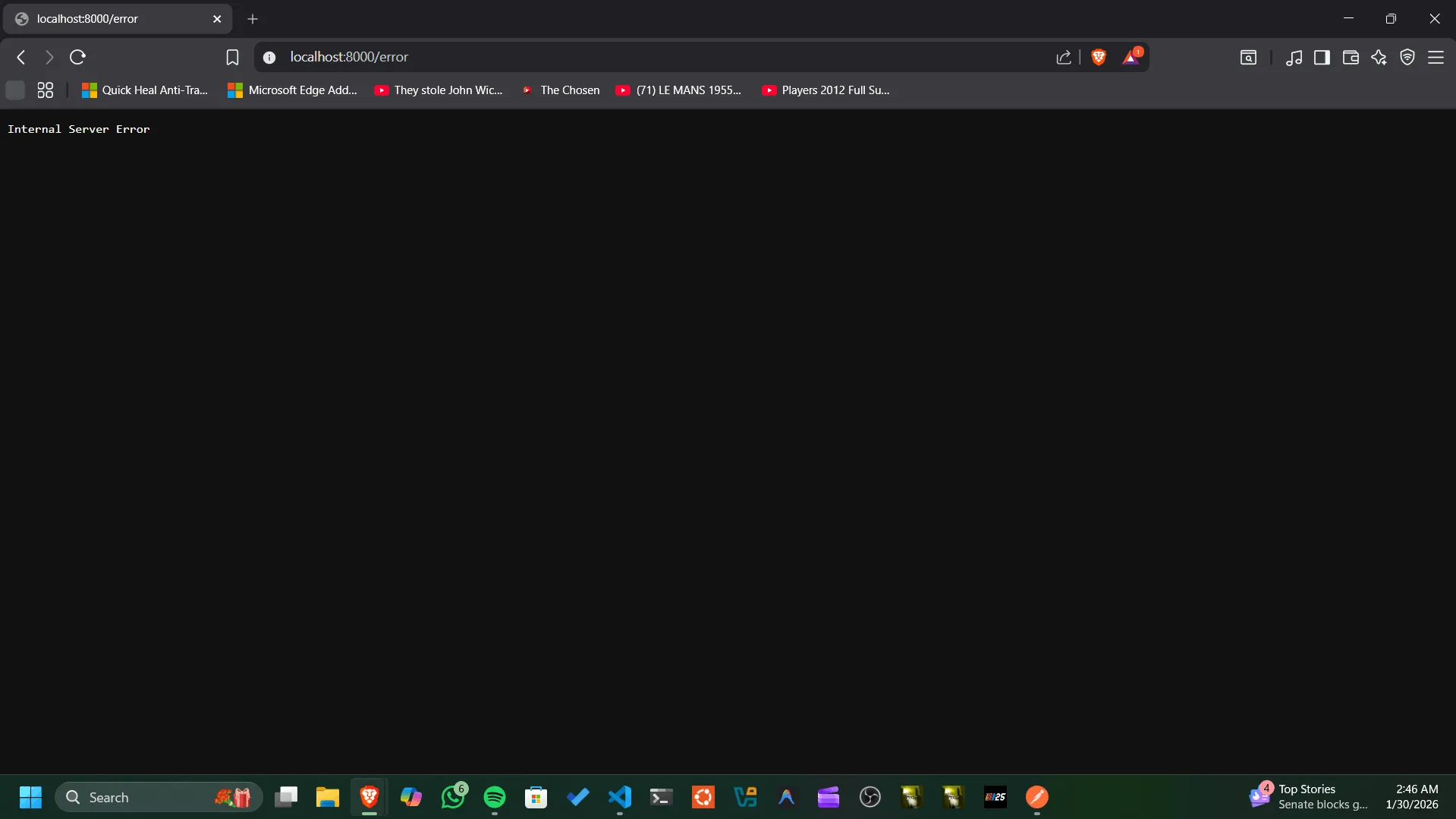
Key Points:
- error() handler: Catches uncaught exceptions in route handlers
- Global catch: All errors bubble up to this handler
- Error parameter: Contains thrown Error object with message and stack
- Logging: Log errors for debugging and monitoring
- User response: Always return appropriate HTTP response
- Status 500: Standard code for server errors
- Prevents crashes: Handles errors gracefully without stopping server
23. HTTPS/TLS Configuration
Bun.serve({
    port: 443, // 443 for standard https, req. admin privileges
    tls: { // config https/tls encryption
        key: Bun.file("./key.pem"), // private key, never commit // Bun.file() reference cert. files without loading into memory
        cert: Bun.file("./cert.pem"), // cert file, identifies server
        passphrase: "your-passphase" // Optional encryption password for private key
    },
    fetch(req){
        return new Response("Secure Connection");
    }
})

// openssl for testing, generate, self signed
Bun.serve({
  port: 8000,
  tls: {
    key: Bun.file("./key.pem"),
    cert: Bun.file("./cert.pem"),
    passphrase: "your-passphrase" // Optional
  },
  fetch(req) {
    return new Response("Secure connection");
  }
});
Key Points:
- tls object: Configures HTTPS/TLS encryption
- key file: Private key file (keep secret, never commit to git)
- cert file: Certificate file (public part, identifies server)
- Bun.file(): Reference certificate files without loading into memory
- passphrase: Optional encryption password for private key
- Port choice: Use 443 for standard HTTPS (requires admin privileges)
- Self-signed: Can generate with OpenSSL for testing
- Security: Encrypts data between client and server
24. Server Utilities
const server = Bun.serve({
    port: 3000,
    async fetch(request,server) {
        const ip = server.requestIP(request);// get client IP address
        server.timeout(request,10000);// 10 second timeout // Max time for req processing, after that Bun will return 408 Request Timeout
        await Bun.sleep(2000); // simulate long processing 2sec // need async to use await
        console.log(ip);
        return new Response(`OK`);
    }
})
// ➜  24_ git:(main) ✗ bun index.ts
// {
//   address: "::1",
//   family: "IPv6",
//   port: 50124,
// }
// {
//   address: "::1",
//   family: "IPv6",
//   port: 50124,
// }

process.on("SIGINT", () => { // Handle Ctrl+C
  console.log("Shutting down...");
  server.stop();
  process.exit(0);
});

// server.stop(); // Gracefully stop the server // wait for all requests to finish
// server.stop(true); // Forcefully stop the server // immediately terminate all connections

// To test timeout, run the server and use curl:
// curl http://localhost:3000
// After 10 seconds, you should see a "408 Request Timeout" response.

// To test, run the server and use curl:
// curl http://localhost:3000
// You should see "OK" after 2 seconds and the client IP logged in the console.

// To run the server, use the command:
// bun index.ts
24.1. Request Timeout
"/api/posts": {
  GET: async (req, server) => {
    server.timeout(req, 10000); // 10 second timeout

    await Bun.sleep(20000); // Simulate long operation

    return Response.json(posts);
  }
}
Key Points:
- server.timeout(): Sets maximum time for request processing
- Milliseconds: Parameter is in milliseconds (10000 = 10 seconds)
- Automatic abort: Request aborts if handler takes too long
- Prevents hanging: Stops stuck requests from blocking resources
- Server parameter: Second parameter to handler function
- Error response: Client receives error when timeout occurs
- Resource cleanup: Server stops waiting and frees resources
24.2. Get Client IP
fetch(req, server) {
  const ip = server.requestIP(req);
  console.log(ip);
  // Output: { address: "::1", port: 54321 }

  return new Response("OK");
}

Key Points:
- server.requestIP(): Retrieves client's IP address and port
- Returns object: { address, port } format
- address: IPv4 or IPv6 format ("::1" is localhost)
- port: Client's source port (varies per connection)
- Use cases: Logging, analytics, rate limiting, IP filtering
- Proxies: May return proxy IP instead of actual client (check X-Forwarded-For header)
- Availability: Server parameter needed (from handler function)
24.3. Graceful Shutdown
// Graceful shutdown (wait for ongoing requests)
server.stop();

// Force shutdown (close immediately)
server.stop(true);
Key Points:
- server.stop(): Stops accepting new requests
- Graceful: Waits for in-flight requests to complete
- Force parameter: Pass true to immediately close all connections
- Cleanup: Best practice for proper resource cleanup
- Zero downtime: Handle active requests before stopping
- Process exit: Typically called on SIGTERM signal
- Timing: Graceful may take time if requests are slow
25. Console API
console.log("Hello via Bun!");
console.log("Let's add some numbers:");
let count = 0;
console.log("Initial Count:", count);
for await (const line of console){ // Iterate over console input line by line
    count += Number(line);
    console.log("Updated Count:", count);
}

// ➜  25_ git:(main) ✗ bun index.ts
// Hello via Bun!
// ➜  25_ git:(main) ✗ bun index.ts
// Hello via Bun!
// Let's add some numbers:
// Initial Count: 0
// 10
// Updated Count: 10
// 10
// Updated Count: 20
// 2
// Updated Count: 22
// 23
// Updated Count: 45

// Updated Count: 45
// 45
// Updated Count: 90
// 6754
// Updated Count: 6844
// 32
// Updated Count: 6876

// 3Updated Count: 6876
// 456
// Updated Count: 10332

// Updated Count: 10332

// Updated Count: 10332
// ^C
// ➜  25_ git:(main) ✗
25.1. Reading Terminal Input
console.log("Let's add some numbers");
console.log("Initial count: 0");

let count = 0;

for await (const line of console) {
  count += Number(line);
  console.log(`Count: ${count}`);
}
Usage:
Key Points:
- for await...of loop: Iterates over console input line by line
- Real-time interaction: Read user input during program execution
- Type conversion: Line is a string, convert with Number() if needed
- Async/await: Requires async context to work properly
- Use case: Interactive CLIs, real-time calculators, user prompts
- Termination: Press Ctrl+C to stop the program
26. Color API
const whiteToRGBA = Bun.color("white","rgba"); // css to rgba
console.log(whiteToRGBA);
// rgba(255, 255, 255, 1)

const whiteToHEX = Bun.color("white","hex"); // css to hex
console.log(whiteToHEX);
// #ffffff

const rgbaToCSS = Bun.color("rgba(255, 0, 0, 1)","css"); // rgba to css
console.log(rgbaToCSS);
// red

const RGBToHEX = Bun.color("rgb(0, 255, 0)","hex"); // rgb to hex
console.log(RGBToHEX);
// #00ff00
26.1. Converting Color Formats
// CSS to RGBA
const whiteRGBA = Bun.color("white", "rgba");
console.log(whiteRGBA); // rgba(255, 255, 255, 1)

// CSS to HEX
const whiteHex = Bun.color("white", "hex");
console.log(whiteHex); // #ffffff

// RGB to HEX
const color = Bun.color("rgb(255, 0, 0)", "hex");
console.log(color); // #ff0000
Key Points:
- Format support: Handles CSS color names, RGB, HEX formats
- Output formats: Convert to "rgba", "hex", "rgb", or other formats
- CSS names: Named colors like "white", "red", "blue" are recognized
- Use case: Design tools, color manipulation, theme systems
- Normalization: Standardizes color formats for consistent usage
- Return type: Always returns a string representation
27. Shell Scripting with Bun
import { $ } from "bun"; // $ library for shell scripting

// Basic Shell Command Execution
await $`echo "Hello, World!"`; // echo command // async/await syntax // template literal syntax `` backticks
// runs the command in a shell and waits for it to complete
// Hello, World!

// Fetching and Piping
const response = await fetch("https://example.com");

const clone = response.clone();

await $`cat < ${clone} | wc -c`; // consumes clone
const html = await response.text(); // original still usable

console.log(html)

// ➜  27_ git:(main) ✗ bun index.ts
// Hello, World!
//      513
// <!doctype html><html lang="en"><head><title>Example Domain</title><meta name="viewport" content="width=device-width, initial-scale=1"><style>body{background:#eee;width:60vw;margin:15vh auto;font-family:system-ui,sans-serif}h1{font-size:1.5em}div{opacity:0.8}a:link,a:visited{color:#348}</style><body><div><h1>Example Domain</h1><p>This domain is for use in documentation examples without needing permission. Avoid use in operations.<p><a href="https://iana.org/domains/example">Learn more</a></div></body></html>
//
// ➜  27_ git:(main) ✗
27.1. Basic Shell Commands
Key Points:
- Template literals: Uses backticks for shell commands
- Async: Commands are awaited and return promises
- Direct execution: Run any shell command available on your system
- Use case: File operations, system commands, automation
27.2. Fetching and Piping
import { $ } from "bun";

// Fetching and Piping
const response = await fetch("https://example.com");
await $`cat < ${response} | wc -c`; // size
Key Points:
- .stdin(): Pipe data into shell commands
- Response bodies: Can be piped directly from fetch results
- Command chaining: Combine multiple commands with pipes (|)
- Use case: Text processing, data extraction, file manipulation
27.3. Real-World Example
import { $ } from "bun";

// Get webpage content
const response = await fetch("https://example.com");
const html = await response.text(); // Full HTML content
Key Points:
- Integration: Combines fetch API with shell commands
- Stream processing: Efficiently handle large responses
- Use case: Web scraping, data extraction, automation
- Benefit: No need for separate parsing libraries
28. Web APIs
Bun supports standard Web APIs: https://bun.com/docs/runtime/web-apis
28.1. Available APIs:
- Fetch API
Purpose: Make HTTP requests from your code
- Returns: Promise that resolves to Response object
- Use case: API calls, data fetching
-
Standard: Works across browsers and Node.js
-
Request/Response
Purpose: Work with HTTP request/response objects
- Request: Represents incoming or outgoing HTTP requests
- Response: Represents HTTP responses with body and headers
-
Use case: Building APIs, middleware, handlers
-
Headers
Purpose: Manage HTTP headers
- Methods: .set(), .get(), .delete(), .entries()
- Use case: Setting content-type, authentication, custom headers
-
Case-insensitive: Header names are automatically normalized
-
AbortController
const controller = new AbortController();
fetch(url, { signal: controller.signal });
controller.abort();
Purpose: Cancel asynchronous operations
- Use case: Timeout requests, cancel file uploads
- Benefit: Clean up resources, prevent memory leaks
-
How: Pass signal to fetch, call abort() to cancel
-
URL/URLSearchParams
Purpose: Parse and manipulate URLs
- URL: Parse URL into components (hostname, pathname, query)
- URLSearchParams: Access query string parameters
-
Use case: Routing, query parsing, URL building
-
WebSocket
Purpose: Real-time bidirectional communication
- Use case: Chat, live updates, real-time notifications
- Benefit: Persistent connection, lower latency than HTTP polling
-
Events: open, message, close, error
-
JSON
Purpose: Convert between JSON strings and JavaScript objects
- parse(): Convert JSON string to object
- stringify(): Convert object to JSON string
-
Use case: API communication, data serialization
-
Timers
Purpose: Execute code after delays or at intervals
- setTimeout: Execute once after delay (milliseconds)
- setInterval: Repeat at fixed intervals
-
Use case: Scheduling tasks, debouncing, animations
-
Crypto
Purpose: Cryptographic operations
- randomUUID(): Generate random UUIDs
- getRandomValues(): Fill typed arrays with random values
- Use case: Security, generating unique identifiers
29. Bun as a Package Manager
bun init                     # initialize a new Bun project (creates package.json, bun.lockb)
bun install                  # install all deps from package.json
bun add zod                  # add latest version of a dependency
bun add zod@3.0.0            # add a specific version of a dependency
bun add zod@3.0.0            # to demonstrate: Second install (cached) will be much faster
bun add -D prettier          # add a dev-only dependency
bun add -g cowsay            # install a package globally
bun remove zod               # remove a local dependency
bun remove prettier          # remove a dev dependency
bun remove -g cowsay         # uninstall a global package
bun update                   # update all dependencies (within version ranges)
bun update typescript        # update a specific dependency
bun outdated                 # list outdated dependencies
bun publish                  # publish package to npm
bun link                     # link local package globally for development
➜  29_ git:(main) ✗ bun init

✓ Select a project template: Blank

 + .gitignore
 + index.ts
 + tsconfig.json (for editor autocomplete)
 + README.md

To get started, run:

    bun run index.ts

bun install v1.3.7 (ba426210)

+ @types/bun@1.3.8
+ typescript@5.9.3

5 packages installed [16.00ms]

➜  29_ git:(main) ✗ bun install
bun install v1.3.7 (ba426210)

Checked 5 installs across 6 packages (no changes) [5.00ms]
➜  29_ git:(main) ✗ bun add zod
bun add v1.3.7 (ba426210)

installed zod@4.3.6

1 package installed [275.00ms]
➜  29_ git:(main) ✗ bun add zod@3.0.0
bun add v1.3.7 (ba426210)

installed zod@3.0.0

1 package installed [703.00ms]
➜  29_ git:(main) ✗ bun add zod@3.0.0
bun add v1.3.7 (ba426210)

installed zod@3.0.0

[3.00ms] done
➜  29_ git:(main) ✗ bun add -D prettier
bun add v1.3.7 (ba426210)

installed prettier@3.8.1 with binaries:

 - prettier

1 package installed [1.57s]
➜  29_ git:(main) ✗ bun add -g cowsay
bun add v1.3.7 (ba426210)

installed cowsay@1.6.0 with binaries:

 - cowsay
 - cowthink

33 packages installed [3.17s]
➜  29_ git:(main) ✗ bun remove zod
bun remove v1.3.7 (ba426210)

- zod

1 package removed [5.00ms]
➜  29_ git:(main) ✗ bun remove prettier
bun remove v1.3.7 (ba426210)

- prettier

1 package removed [3.00ms]
➜  29_ git:(main) ✗ bun remove -g cowsay
bun remove v1.3.7 (ba426210)

- cowsay

1 package removed [2.00ms]
➜  29_ git:(main) ✗ bun update
bun update v1.3.7 (ba426210)

Checked 5 installs across 6 packages (no changes) [80.00ms]
➜  29_ git:(main) ✗ bun update typescript
bun update v1.3.7 (ba426210)

installed typescript@5.9.3 with binaries:

 - tsc
 - tsserver

[3.00ms] done
➜  29_ git:(main) ✗ bun outdated
bun outdated v1.3.7 (ba426210)
➜  29_ git:(main) ✗ bun publish
bun publish v1.3.7 (ba426210)
error: missing `version` string in package.json
➜  29_ git:(main) ✗ bun link
bun link v1.3.7 (ba426210)
Success! Registered "29_"

To use 29_ in a project, run:
  bun link 29_

Or add it in dependencies in your package.json file:
  "29_": "link:29_"
➜  29_ git:(main) ✗
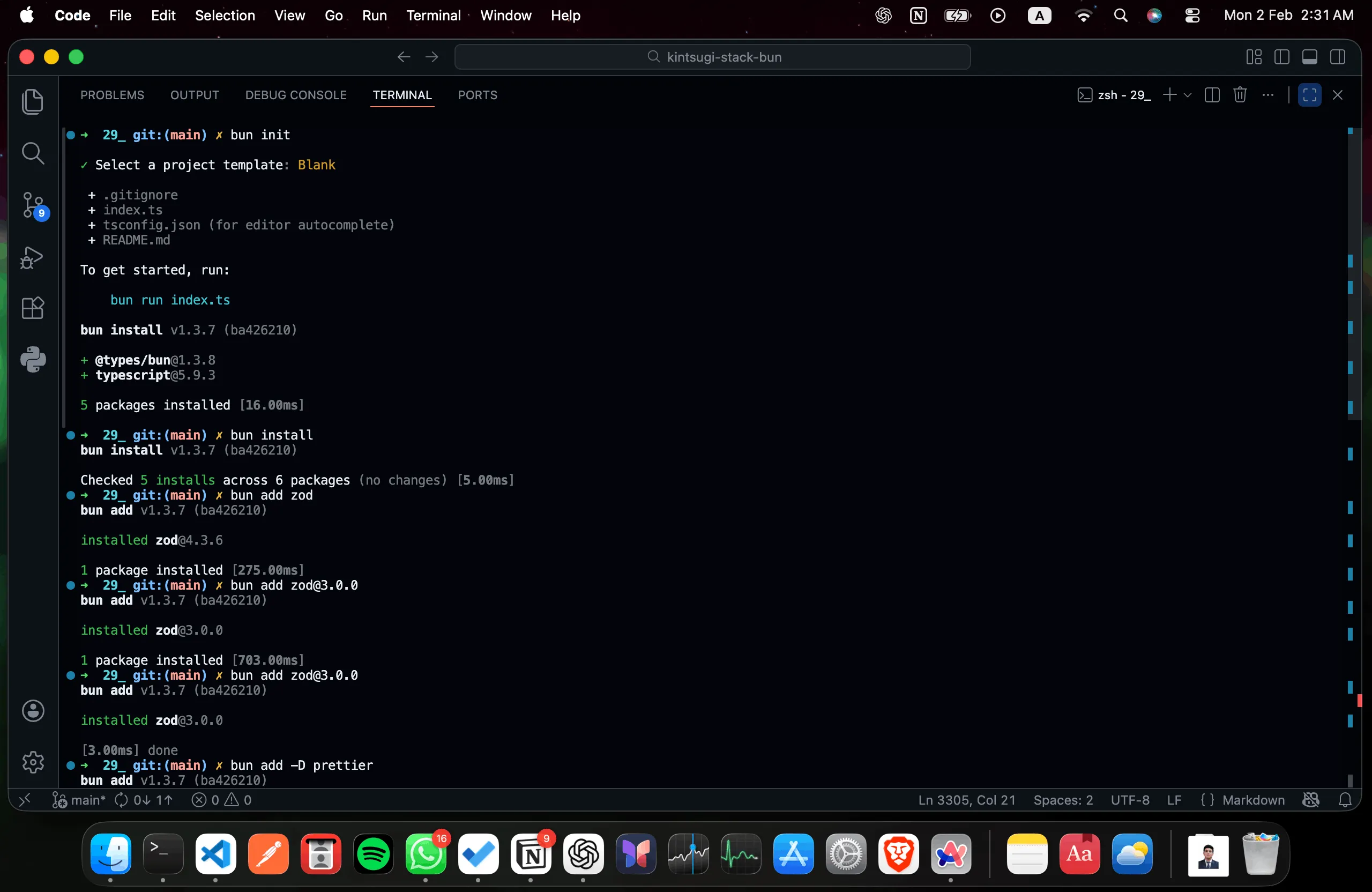
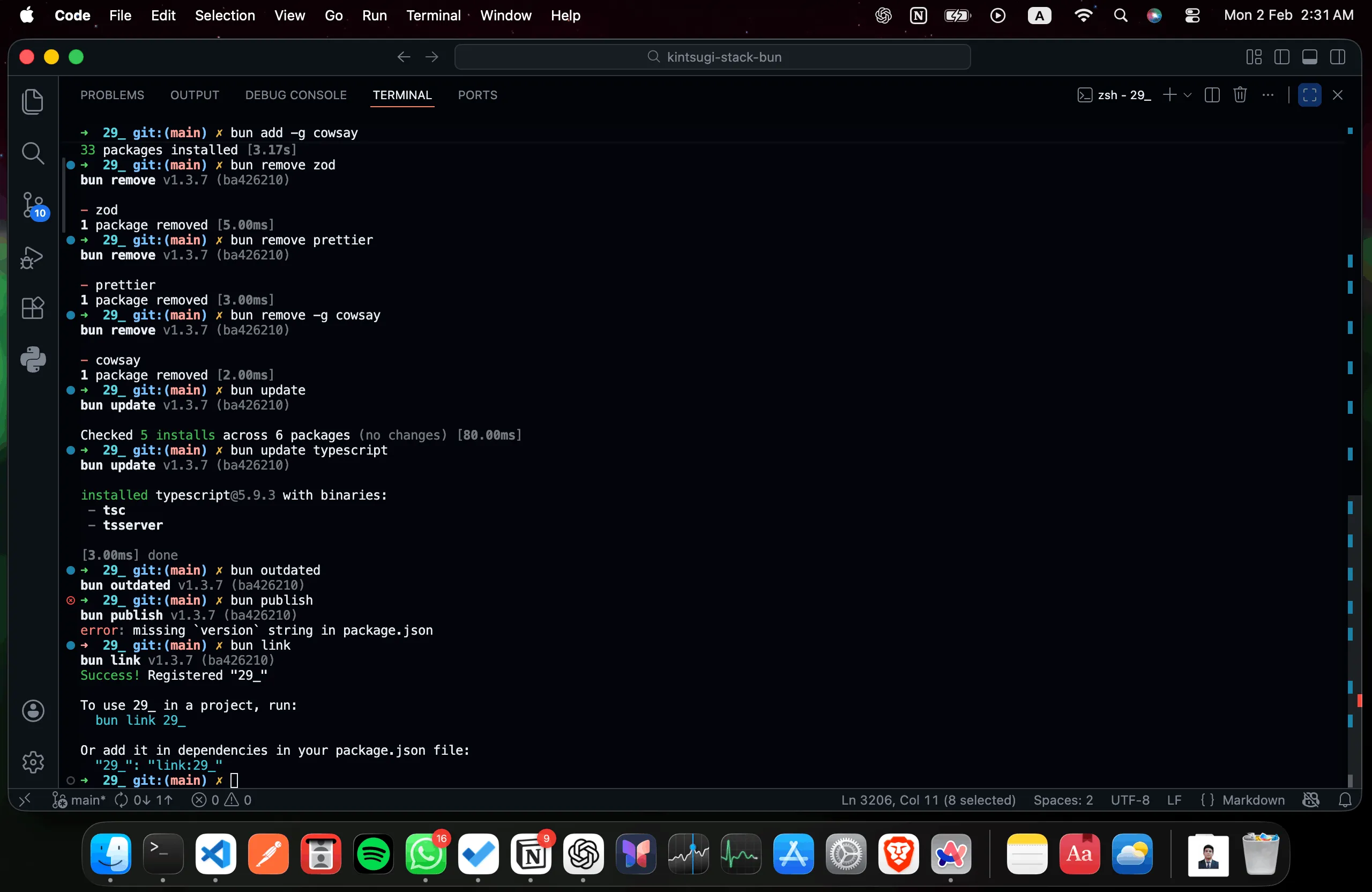
29.1. What is a Package Manager?
- Package = Pre-written code libraries (like building blocks)
- Package Manager = Tool to download and manage these libraries
- Think of it like an app store for code
- Popular packages: database tools, HTTP clients, authentication, utilities
- npm = First package manager (old, slower)
- Bun's package manager = Newer, faster alternative
- Why use packages? Don't reinvent the wheel, use tested code
29.2. Installing Dependencies
29.2.1. Install All Dependencies
29.2.2. Add Package
# Regular dependency
bun add zod

# Specific version
bun add zod@3.0.0

# Dev dependency
bun add -D prettier

# Global package
bun add -g cowsay

# even update/readd is much faster because bun knows that it's version is installed and do relevant changes
29.3. Removing Dependencies
# Remove package
bun remove zod

# Remove dev dependency
bun remove prettier

# Remove global package
bun remove -g cowsay
29.4. Updating Dependencies
29.5. Other Commands
29.5.1. Check Outdated Packages
29.5.2. Publish Package
29.5.3. Link Local Package
29.6. Speed Comparison
First install:
Second install (cached):
30. Bun Create Command
bun create vite               # Scaffold a Vite frontend project with Bun
bun create hono               # Scaffold a Hono backend project
bun create next               # Scaffold a Next.js project (modern CLI)
bun create next-app           # Scaffold a Next.js app (older/alternate CLI)
30.1. Creating Projects from Templates
- https://bun.com/docs/guides/ecosystem/vite
- https://bun.com/docs/guides/ecosystem/hono
- https://bun.com/docs/guides/ecosystem/nextjs
30.1.1. React + Vite Project
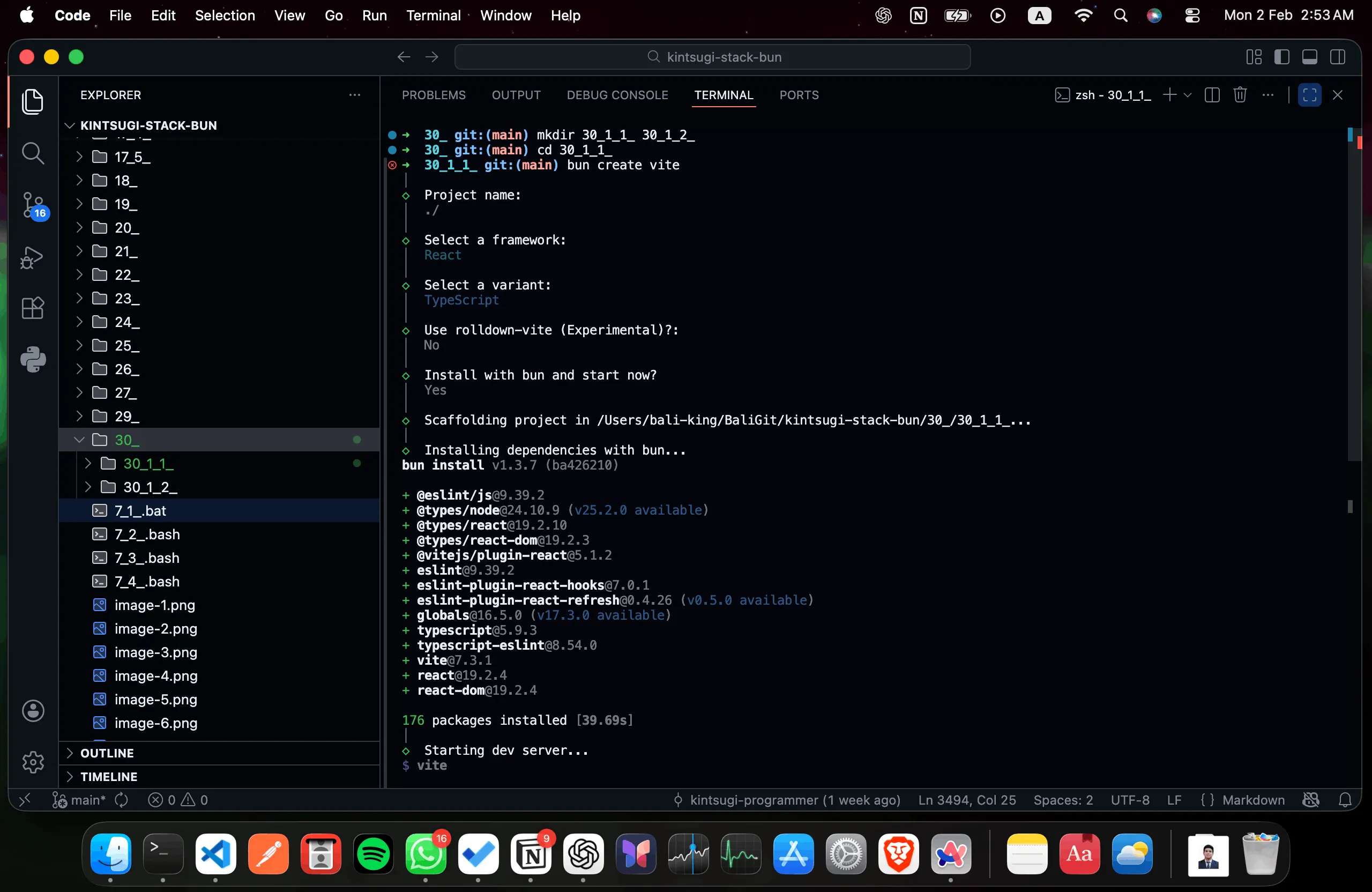
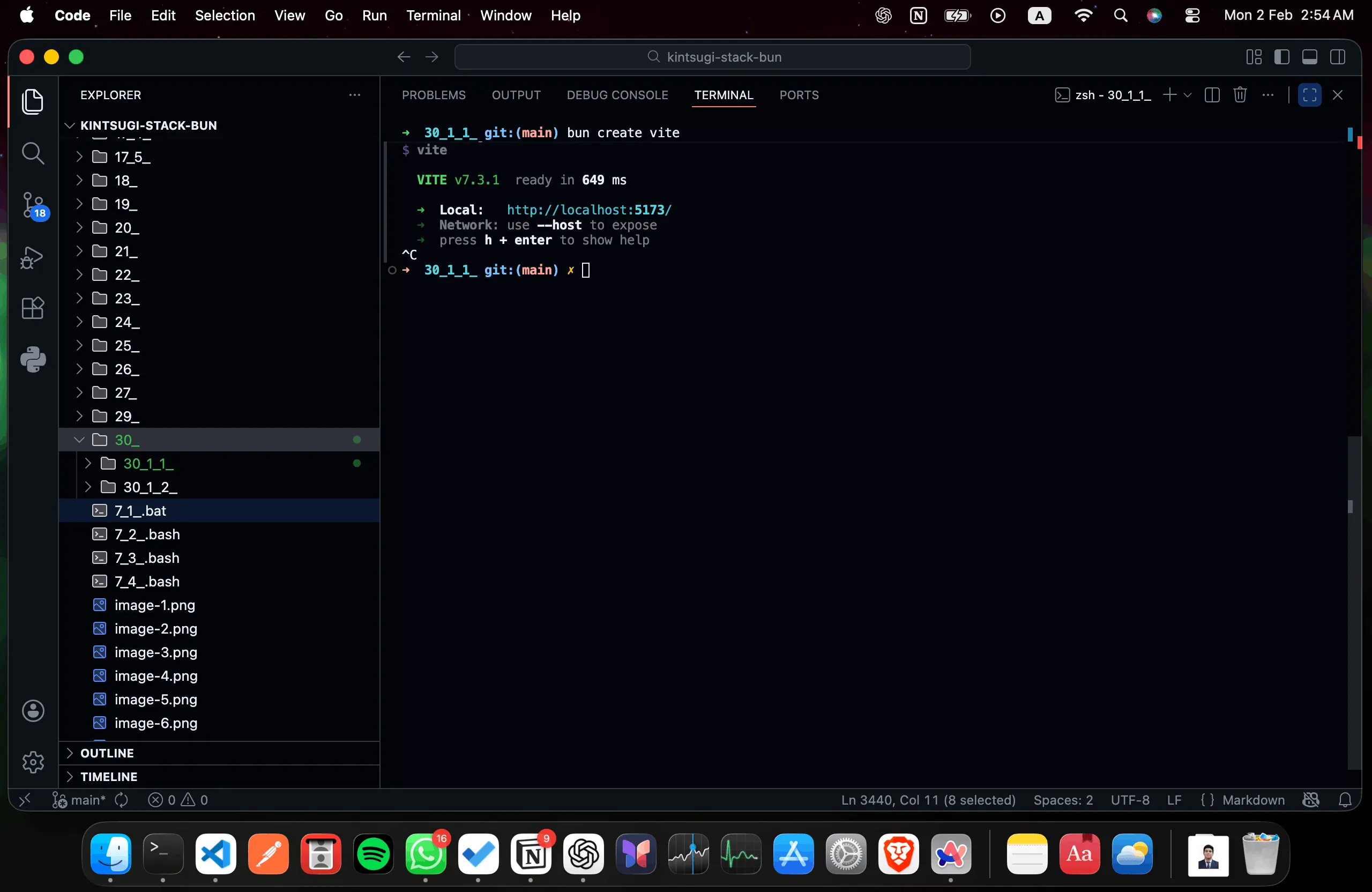
30.1.2. Hono.js Project
bun create hono hono-app
# Select: bun (runtime)

# Select: bun (package manager)
cd hono-app
bun run dev
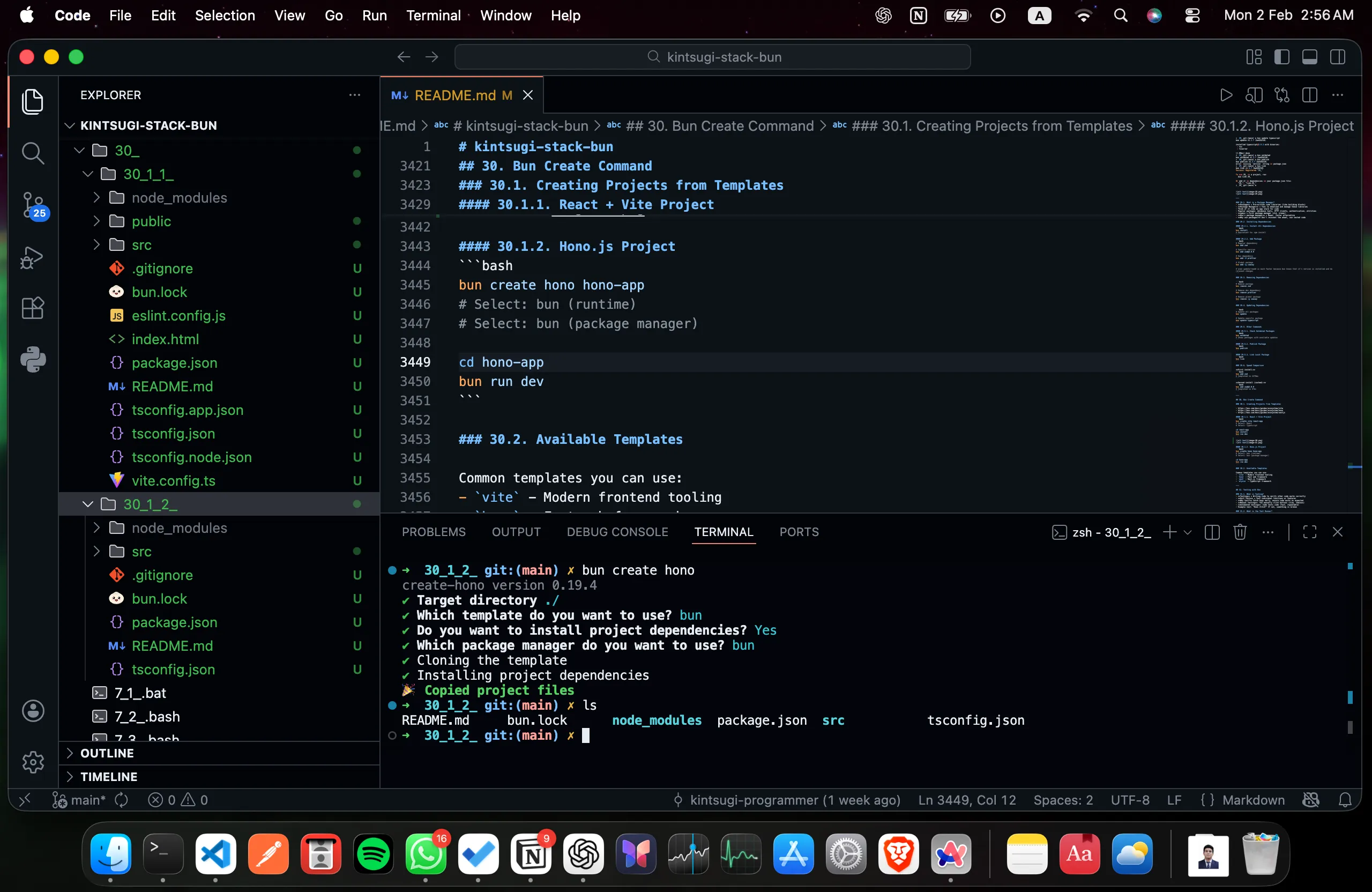
30.2. Available Templates
Common templates you can use:
vite- Modern frontend toolinghono- Fast web frameworknext- Next.js frameworkelysia- TypeScript framework
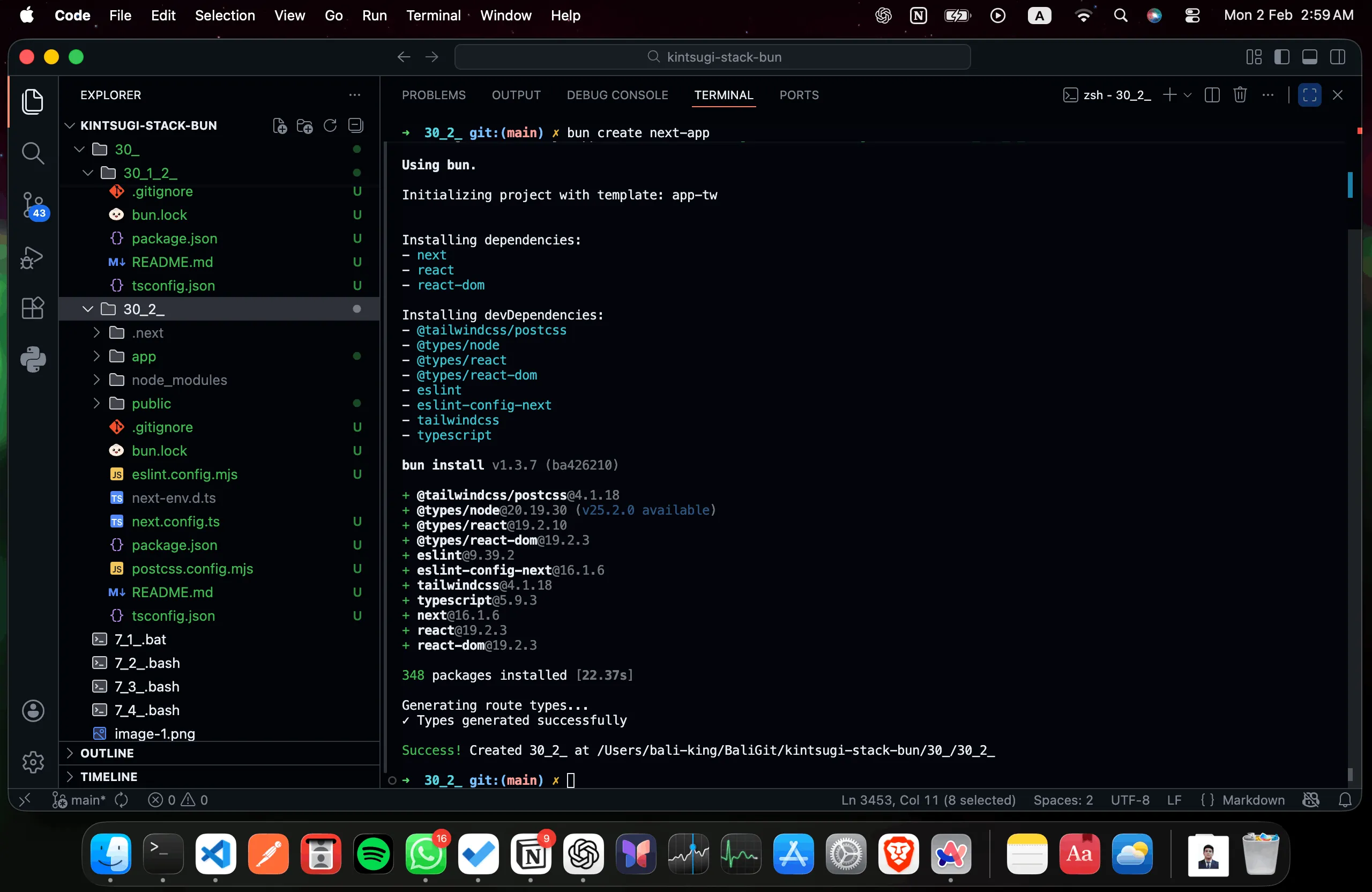
31. Testing with Bun
// test/example.test.ts

import { expect, test } from "bun:test" ; // libs

// simple test for syntax
test("simple: hecking 2 + 2 addition",() => {expect(2+2).toBe(4);}); // PASS

// actual tests

// // index.ts
// export const add = (a: number, b:number) : number => {
//     return a+b;
// }; // correct code

// export const add_1 = (a:number, b:number) : number => {
//     return a+b+b;
// }; // wrong code

import { add,add_1 } from "../index";

test("index/add: checking 2 + 2 addition",()=>{expect(add(2,2)).toBe(4);}) // PASS
test("index/add_1: checking 2 + 2 addition",
    ()=>{
        expect(
            add_1(2,2)
        )
        .toBe(4);
    }
); // FAIL

// ➜  31_ git:(main) ✗ bun test
// bun test v1.3.7 (ba426210)

// test/example.test.ts:
// ✓ simple: hecking 2 + 2 addition [0.03ms]
// ✓ index/add: checking 2 + 2 addition [0.02ms]
// 22 | test("index/add_1: checking 2 + 2 addition",
// 23 |     ()=>{
// 24 |         expect(
// 25 |             add_1(2,2)
// 26 |         )
// 27 |         .toBe(4);
//               ^
// error: expect(received).toBe(expected)

// Expected: 4
// Received: 6

//       at <anonymous> (/Users/bali-king/BaliGit/kintsugi-stack-bun/31_/test/example.test.ts:27:10)
// ✗ index/add_1: checking 2 + 2 addition [0.50ms]

//  2 pass
//  1 fail
//  3 expect() calls
// Ran 3 tests across 1 file. [9.00ms]
// ➜  31_ git:(main) ✗
// index.ts
export const add = (a: number, b:number) : number => {
    return a+b;
}; // correct code

export const add_1 = (a:number, b:number) : number => {
    return a+b+b;
}; // wrong code
31.1. What is Testing?
- Testing = Writing code to verify other code works correctly
- Unit Tests = Test individual functions or features
- Why test? Catch bugs early, ensure code works as expected
- Manual testing: You manually click buttons (slow, tedious)
- Automated testing: Code tests code (fast, repeatable)
- Example test: "Does 2+2=4?" If not, something is broken
31.2. What is the Test Runner?
- Test Runner = Tool that finds and executes your tests
- Runs all tests and shows which ones passed/failed
- Bun has built-in test runner (no extra installation needed)
31.3. Setting Up Tests
No Jest needed! Bun has built-in testing.
31.3.1. Test File Structure
Create test files with any of these naming patterns:
*.test.ts*.spec.ts*_test.ts*_spec.ts
31.4. Writing Tests
Create test/example.test.ts:
import { expect, test } from "bun:test";

test("checking 2 + 2 addition", () => {
  expect(2 + 2).toBe(4);
});
31.5. Running Tests
Output:
31.6. Testing Functions
import { expect, test } from "bun:test";

const add = (a: number, b: number): number => {
  return a + b;
};

test("checking 2 + 2 addition", () => {
  expect(add(2, 2)).toBe(4);
});

test("checking 5 + 5 addition", () => {
  expect(add(5, 5)).toBe(10);
});
31.7. Test Output
bun test

# Output:
# test/example.test.ts:
#   ✓ checking 2 + 2 addition
#   ✓ checking 5 + 5 addition
#
# 2 pass
# 0 fail
32. Bun as a Bundler
32.1. What is a Bundler?
- Bundler = Tool that combines multiple files into optimized output
- Reads all your code files and combines them into one (or a few)
- Why? Smaller files load faster, better performance
- Minification = Removes unnecessary characters to reduce file size
- Tree-shaking = Removes unused code
- Example: 10 files (100KB each) → 1 file (500KB total after bundling)
32.2. Building TypeScript to JavaScript
32.2.1. Basic Build
What's happening:
bun build= Start the bundler./index.ts= Your main file (entry point)--outdir ./build= Put results in "build" folder- Output: One .js file that contains everything
- Why .js? JavaScript runs everywhere (servers, browsers, etc.)
This creates:
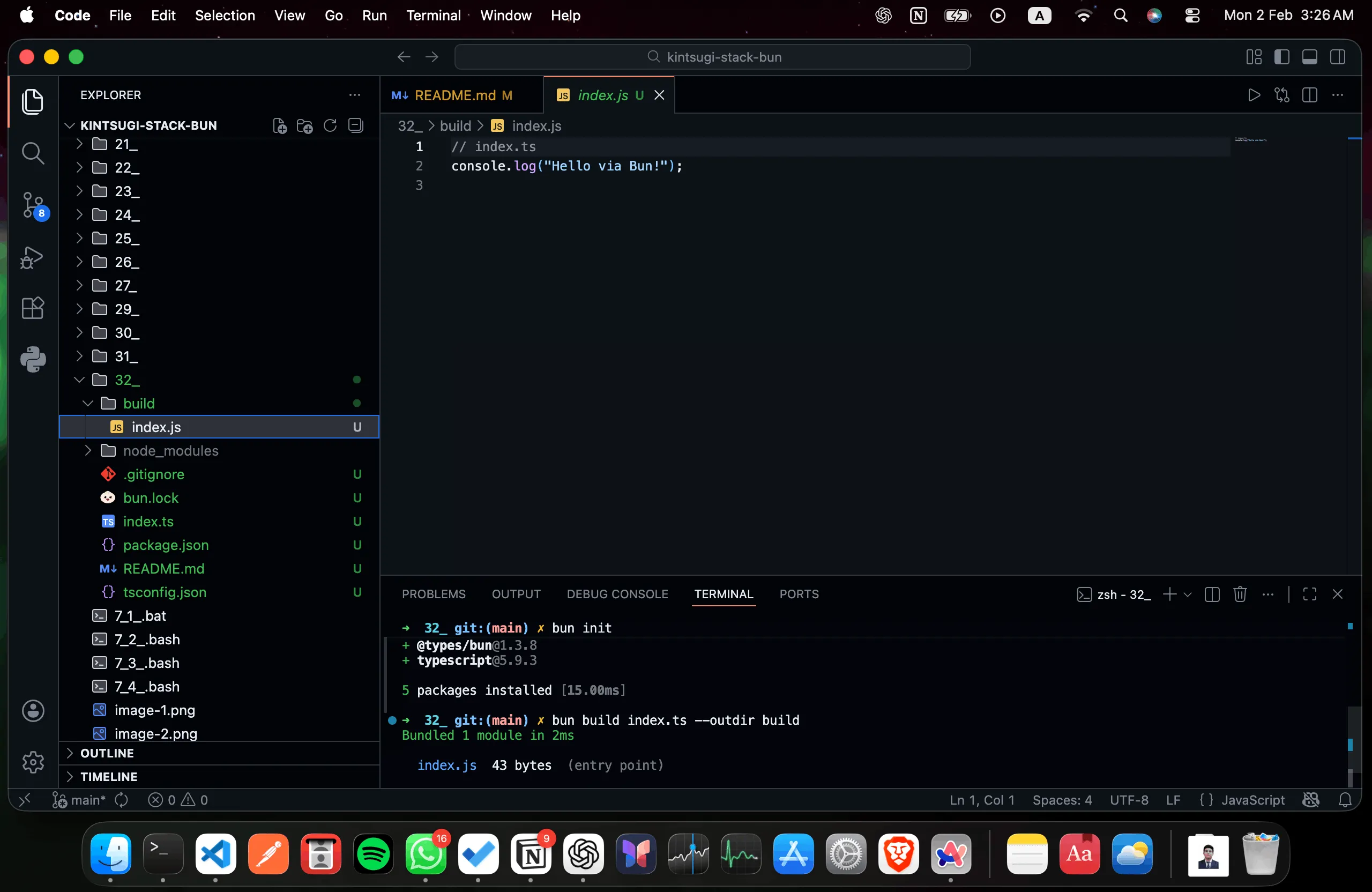
32.3. Build from Source Directory
Project structure:
src/index.ts:
src/config/index.ts:
Build command:
Update package.json:
{
  "name": "bun",
  "module": "index.ts",
  "devDependencies": {
    "@types/bun": "latest"
  },
  "peerDependencies": {
    "typescript": "^5"
  },
  "private": true,
  "scripts": {
    "start": "bun --env-file=.env.production build/index.js",
    // .ts -> .js
    "dev": "bun --watch --env-file=.env.development index.ts"
  },
  "type": "module"
}
Run:
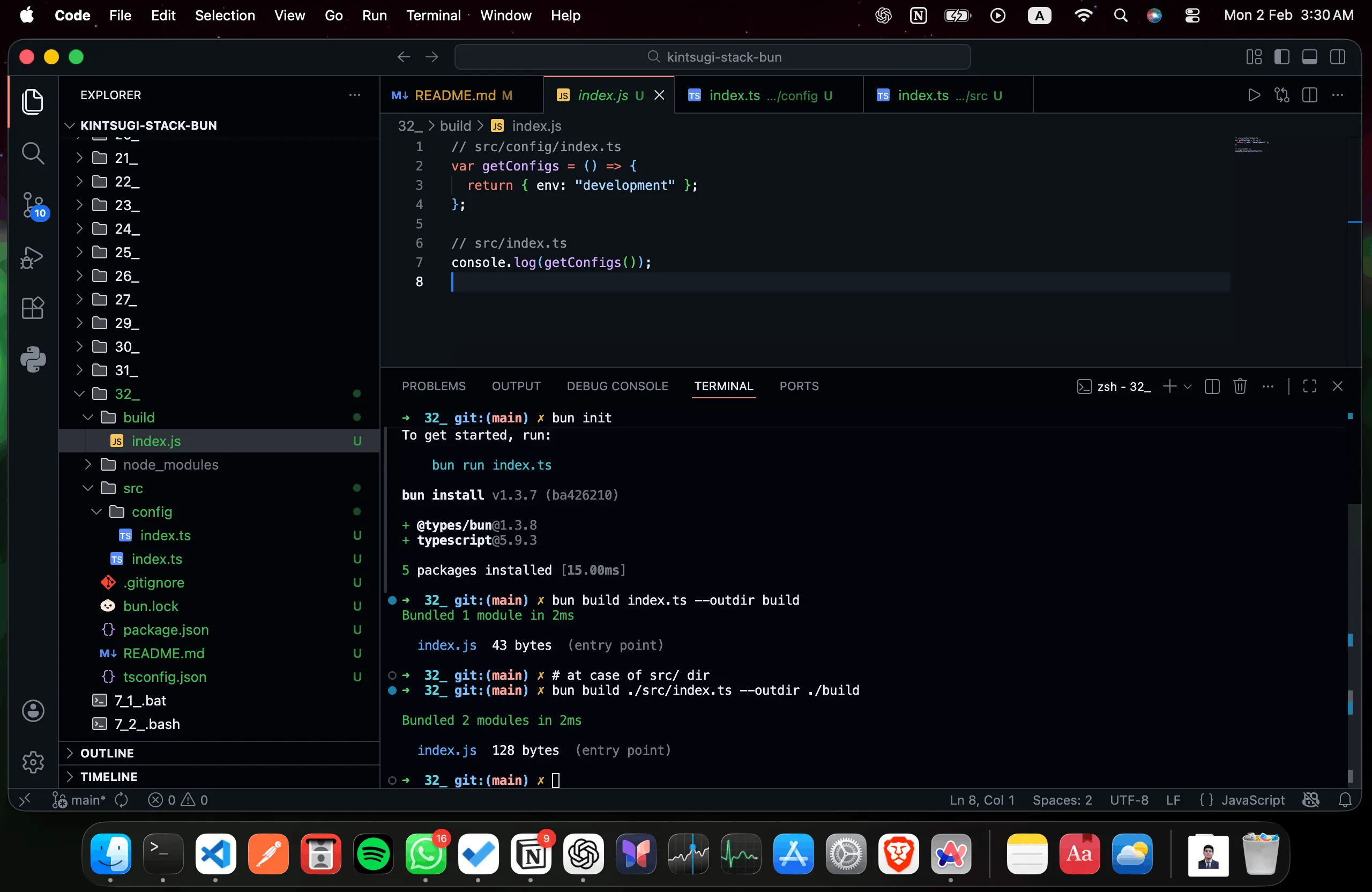
32.4. Minified Build
Result: Compressed, unreadable code (smaller file size)
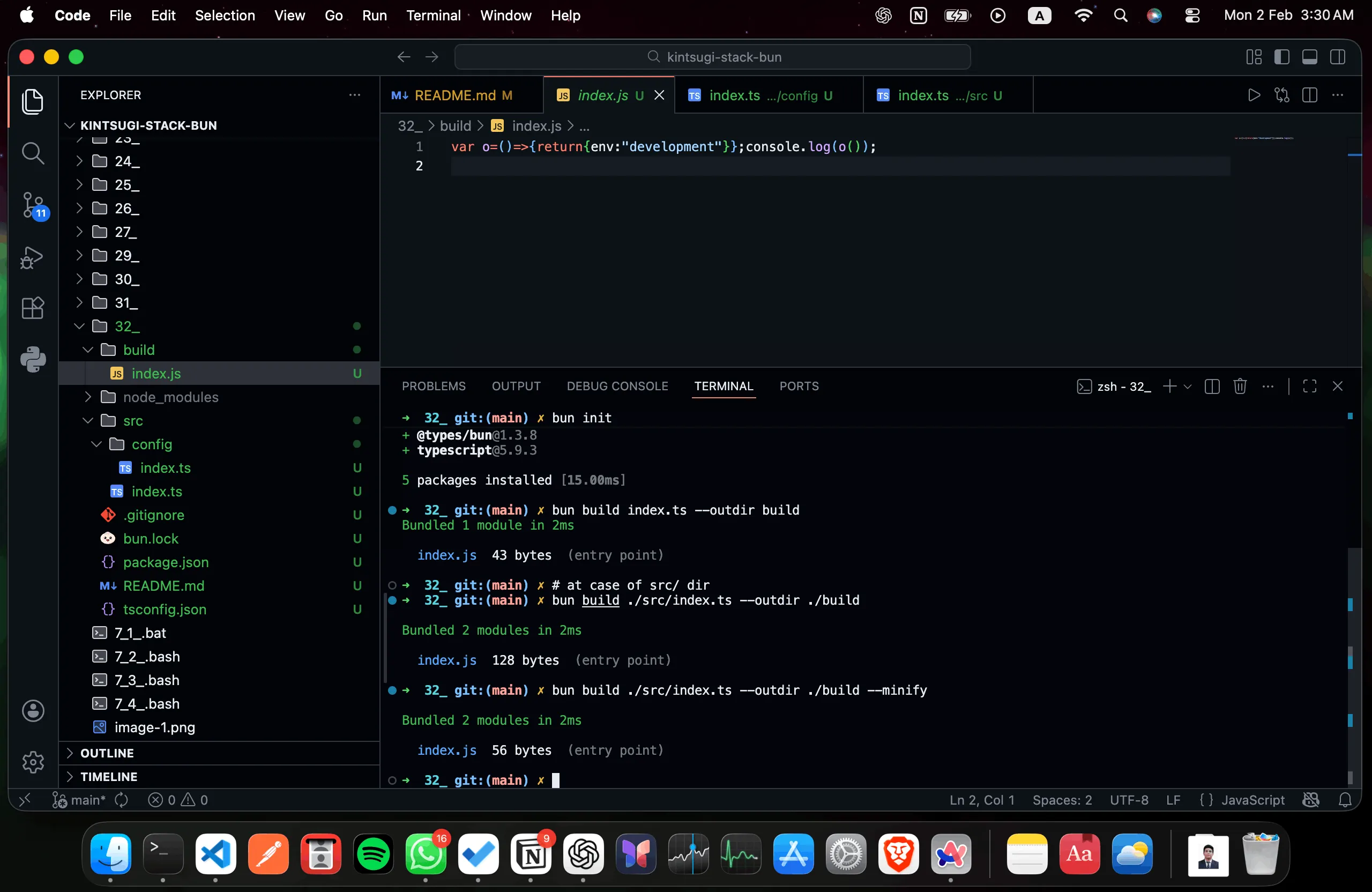
32.5. Build Features
What Each Feature Does:
- Single file output: All imports bundled into one file
- Why: Easier deployment, faster loading
-
Result: One JavaScript file contains everything needed
-
Minification: Reduces file size
- How: Removes whitespace, shortens variable names, strips comments
- Benefit: Smaller download size, faster load times
-
Trade-off: Unreadable code (can't debug easily in production)
-
TypeScript compilation: Converts .ts to .js
- Automatic: No configuration required
- Result: JavaScript files that run in any environment
-
Type information: Removed during compilation (types are only for development)
-
No configuration needed: Works out of the box
- Advantage: Simple CLI commands are enough
- Default settings: Optimized for common use cases
- Customization: Advanced options available if needed
33. Important Notes & Best Practices
33.1. Port 6000 Restriction
Chrome blocks port 6000 for security reasons. Use port 8000 or other ports instead.
What is a port?
- Port = Virtual "door" to your server (like apartment numbers)
- Port 80 = HTTP (default web)
- Port 443 = HTTPS (secure web)
- Port 8000, 3000, 5000 = Common for development
- Port 6000 = Reserved/blocked by some browsers
33.2. Environment Variables Best Practices
- Use
.env.developmentfor development - Use
.env.productionfor production - Always use
--env-fileflag in scripts - Add type definitions for autocomplete
33.3. Package Manager Advantages
- Speed: 5-10x faster than npm
- Compatibility: Works with npm packages (same ecosystem)
- Built-in: No separate installation needed
- Why faster? Better algorithms, parallel processing, caching
33.4. TypeScript Support
- Zero configuration: Works immediately
- Type inference: Automatic type detection
- Fast compilation: No separate build step
- What TypeScript does: Catches errors before running code (type safety)
33.5. Testing Advantages
- No Jest dependency: Built-in test runner (less to install)
- Fast execution: Optimized for speed
- Simple syntax: Familiar API (less to learn)
34. Common Patterns & Examples
34.1. API Server Template
type TPost = {
  id: string;
  title: string;
};

let posts: TPost[] = [];

const server = Bun.serve({
  port: Bun.env.PORT || 8000,

  routes: {
    // Health check
    "/api/health": () => new Response("OK"),

    // CRUD operations
    "/api/posts": {
      GET: () => Response.json(posts),
      POST: async (req) => {
        const body = await req.json() as Omit<TPost, "id">;
        const post = { id: crypto.randomUUID(), ...body };
posts.push(post);
        return new Response("Created", { status: 201 });
      }
    },

    "/api/posts/:id": {
      PUT: async (req) => {
        const id = req.params.id as string;
        const body = await req.json() as Omit<TPost, "id">;
        const index = posts.findIndex(p => p.id === id);

        if (index === -1) {
          return new Response("Not found", { status: 404 });
        }

        posts[index] = { ...posts[index], ...body };
        return new Response("Updated");
      },

      DELETE: (req) => {
        const id = req.params.id as string;
        const index = posts.findIndex(p => p.id === id);

        if (index === -1) {
          return new Response("Not found", { status: 404 });
        }

        posts.splice(index, 1);
        return new Response("Deleted");
      }
    },

    // Catch-all 404
    "/*": () => new Response("Not found", { status: 404 })
  },

  // Global error handler
  error(error) {
    console.error(error);
    return new Response("Internal error", { status: 500 });
  }
});

console.info(`Server running on port ${server.port}`);
34.2. File Operations Template
// Read file
const file = Bun.file("./data.json");
const exists = await file.exists();

if (exists) {
  const data = await file.json();
  console.log(data);
}

// Write file
await Bun.write("output.json", JSON.stringify({ key: "value" }));

// Copy file
await Bun.write("backup.json", Bun.file("data.json"));
34.3. Environment Setup Template
env.d.ts:
declare module "bun" {
  interface Env {
    PORT: string;
    DATABASE_URL: string;
    JWT_SECRET: string;
    NODE_ENV: "development" | "production";
  }
}
.env.development:
.env.production:
PORT=8000
DATABASE_URL=mongodb://prod-server:27017/prod
JWT_SECRET=prod-secret-key
NODE_ENV=production
package.json:
{
  "scripts": {
    "dev": "bun --watch --env-file=.env.development src/index.ts",
    "start": "bun --env-file=.env.production build/index.js",
    "build": "bun build ./src/index.ts --outdir ./build --minify"
  }
}
35. Comparison: Node.js vs Bun
| Feature | Node.js | Bun |
|---|---|---|
| Runtime | V8 Engine | JavaScriptCore |
| TypeScript | Requires setup | Built-in |
| Package Manager | npm (separate) | Built-in |
| Speed | Standard | 5-10x faster |
| Bundler | Webpack/Parcel | Built-in |
| Test Runner | Jest (external) | Built-in |
| Environment Variables | dotenv package | Built-in |
| Watch Mode | nodemon package | Built-in |
| Password Hashing | bcrypt package | Built-in |
What this table means:
- Engine = The core that executes JavaScript (different implementations)
- More "Built-in" features = Less setup, fewer packages to install
- "Separate" = You have to install extra tools
- Bun bundles everything together (hence the name "all-in-one")
36. Conclusion
36.1. Key Takeaways:
- Bun is NOT a replacement for Node.js - It's an enhancement
- All-in-one toolkit - Runtime, package manager, bundler, test runner
- Performance - Significantly faster than Node.js (50%+)
- Developer Experience - Less configuration, more productivity
- Compatibility - Can run Node.js code with minimal changes
36.2. When to Use Bun
- Faster(50%+) startup & execution than Node.js for many workloads
- Built-in toolchain: runtime + bundler + test runner + package manager
- Lower memory usage in dev and small services
- Native TypeScript support (no transpilation step)
- Very fast package installs (
bun installoften beats npm/yarn/pnpm) - Great for modern tooling: CLIs, internal tools, side projects
- Good fit for greenfield projects where ecosystem risk is acceptable
- Simpler DX: fewer dependencies, fewer configs
36.3. When to Stick with Node.js
- Production-critical systems (banks, fintech, healthcare, infra)
- Mature ecosystem with millions of battle-tested packages
- Full compatibility with existing npm libraries
- Stable, long-term support (LTS) guarantees
- Enterprise & cloud support (AWS, GCP, Azure optimized)
- Large teams where predictability > speed
- Legacy codebases already built on Node
- Compliance-heavy environments (audits, security reviews)
37. Resources
- Official Website: https://bun.sh
- Documentation: https://bun.sh/docs
- GitHub: https://github.com/oven-sh/bun